
1. True 4K vs. Fake Upscaled Streams: The Technical Difference
Before committing to any provider, understanding the architectural distinction between authentic Ultra High Definition and upscaled re-encodes will save you from wasted subscriptions.
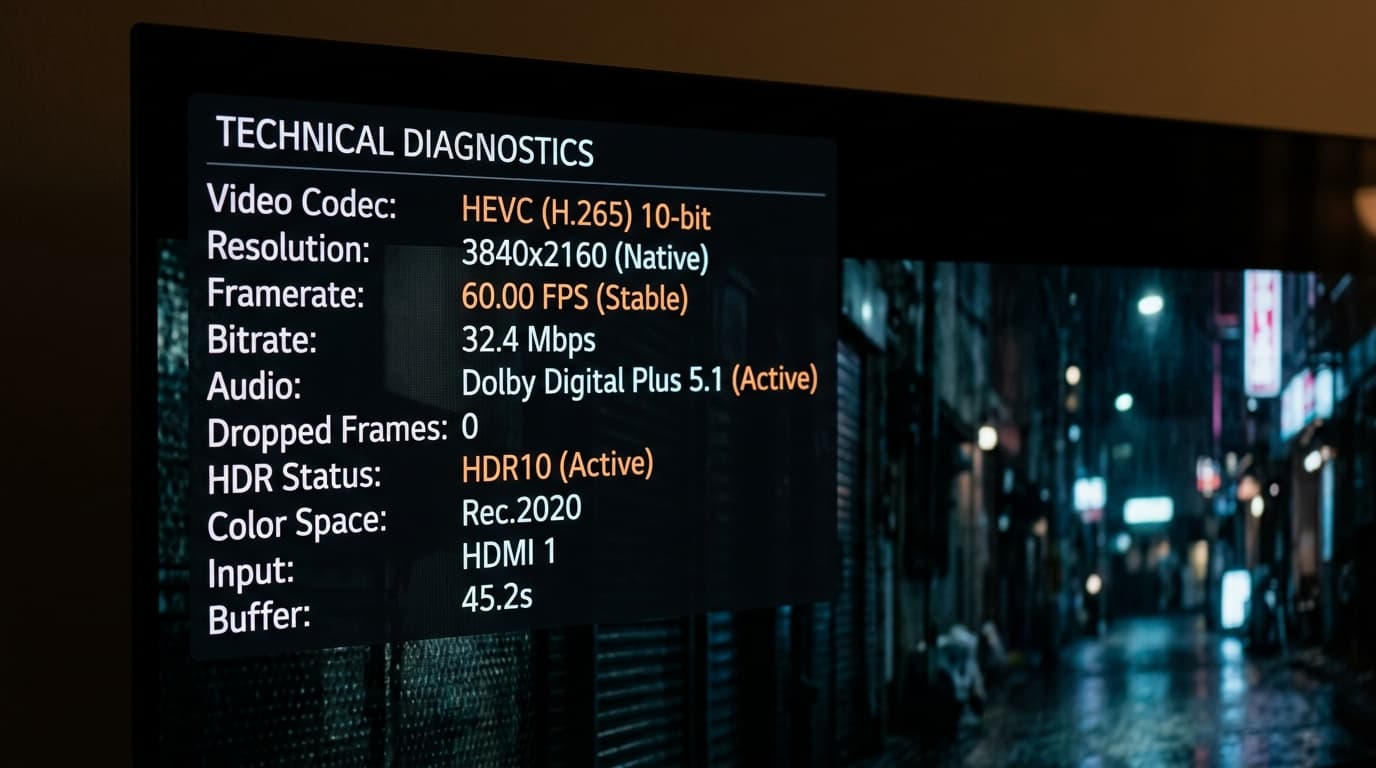
| Diagnostic Metric | True Native 4K IPTV Feed | Fake Upscaled "4K" Reseller Feed |
|---|---|---|
| Pixel Resolution | Exact 3840 × 2160 pixels | 1280×720 or 1920×1080 stretched via software |
| Broadcast Framerate | Native 50.00 / 60.00 FPS | 25.00 / 30.00 FPS (stuttering motion) |
| Video Codec | HEVC / H.265 (Main 10 Profile) or AV1 | Legacy H.264 (AVC) with heavy macroblocking |
| Stream Bitrate | 22.0 to 35.0+ Mbps constant bitrate | 3.5 to 6.0 Mbps starved bitrate |
| Color Depth | 10-bit (1.07 Billion colors) with HDR10/HLG | 8-bit (16.7 Million colors) with clipped highlights |
| Audio Delivery | Dolby Digital Plus 5.1 (E-AC-3) / AC-3 | Low-bitrate 128kbps stereo AAC |
| CDN Ingestion | Direct 4K satellite teleport downlinks | Web-scraped restream mirrors |
Resolution merely defines the grid size (8.3 million pixels); bitrate determines how much visual data fills those pixels each second.
If a provider broadcasts a 3840x2160 frame at only 6 Mbps, the video encoder is forced to discard subtle color gradations and fine details to prevent buffer overflow. When watching sports, fast grass textures turn into uniform green soup and hockey pucks disappear mid-shot. A legitimate best 4k iptv subscription allocates between 22 Mbps and 35 Mbps of sustained uncompressed bandwidth to each 4K live channel.
2. Codecs and Compression: HEVC (H.265) vs. Legacy H.264
Delivering a continuous 4K video stream across public internet transit without overwhelming domestic broadband requires modern video compression.
The benchmark for 4K video delivery is HEVC (High Efficiency Video Coding / H.265). Compared to legacy H.264 (AVC), HEVC achieves approximately 50% better data compression efficiency while preserving identical visual fidelity. Furthermore, HEVC natively supports the Main 10 Profile, enabling 10-bit color reproduction that eliminates color banding across skies, stadium floodlights, and subtle shadows.
3. The Server Infrastructure Required for Buffer-Free 4K
A standard HD channel consumes approximately 6 to 8 Mbps of server egress. A true 4K channel demands 25 to 35 Mbps—more than four times the bandwidth. When thousands of subscribers simultaneously watch a major sports event on an underpowered VPS, the connection bottleneck causes buffering loops across the network.
Leading providers prevent congestion through multi-tiered Content Delivery Network (CDN) architecture:
- Direct Transponder Ingestion: Native 4K satellite feeds captured directly from commercial teleports into Tier-3/4 data centers.
- Geo-Distributed Edge Caching: Popular 4K live streams cached across regional edge nodes in key metropolitan exchange points.
- Automated Load Balancing: Subscribers dynamically mapped to edge servers with the lowest latency and highest available egress headroom.
Explore our technical overview of anti-freeze streaming features to see how multi-CDN routing maintains buffer-free transmission during peak events.
4. Hardware and Network Checklist for 4K IPTV
To experience genuine 4K Ultra HD television without interruptions, your in-home hardware setup must meet specific throughput and decoding standards.
Player Hardware
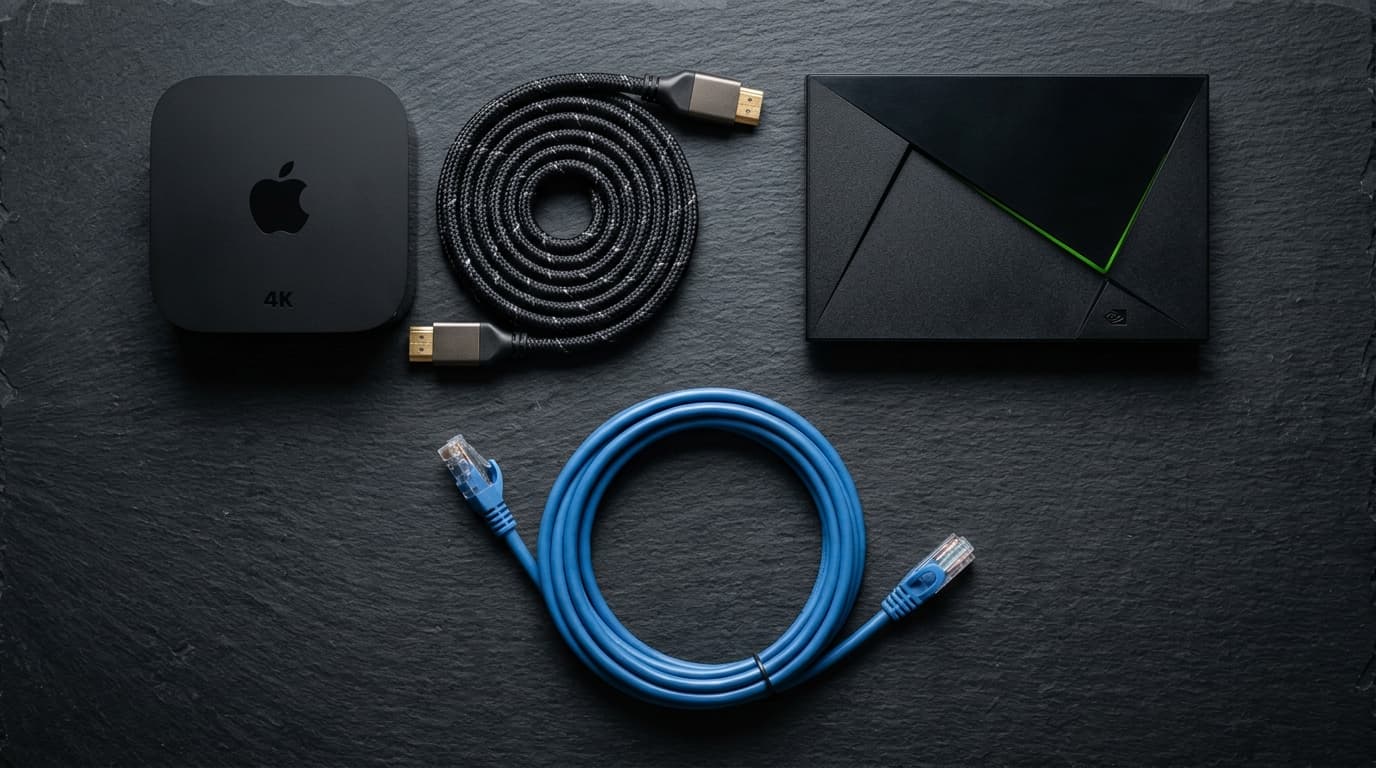
Apple TV 4K (A15 Bionic) and NVIDIA Shield TV Pro handle heavy 10-bit HEVC 4K decoding with zero thermal throttling or dropped frames.
Cat6 Ethernet
Direct Ethernet guarantees jitter-free continuous 35 Mbps throughput, avoiding local Wi-Fi micro-interruptions that trigger buffer delays.
Bandwidth Headroom
Maintain at least 50 Mbps stable download speed per 4K screen, and switch router DNS to Cloudflare (1.1.1.1).
Browse our verified list of compatible 4K streaming hardware to ensure your devices are configured for optimal hardware decoding.
5. How to Audit a 4K IPTV Subscription in 5 Minutes
Never buy an annual subscription based purely on claims. When you sign up for a trial or 1-month test pass, follow this 5-minute technical audit:
Tune to a Dedicated 4K Live Sports Channel
Select a live match on Sky Sports Main Event UHD, TNT Sports Ultimate 4K, or beIN 4K during a live event.
Open the Player Statistics Overlay
In TiviMate, press long-select or open Quick Menu > Stream Information to view the live decoder pipeline.
Verify True 3840x2160 Resolution & 60 FPS
Confirm video dimensions read exactly 3840x2160 and framerate reads 50.00 fps or 60.00 fps.
Verify Sustained Bitrate Above 20 Mbps
Observe the live data ingestion meter. True 4K broadcasts require 22 to 35 Mbps continuous throughput.
Check Surround Sound Passthrough
Verify your soundbar or AV receiver receives active Dolby Digital Plus 5.1 (E-AC-3) multi-channel audio.
6. Avoiding Common 4K IPTV Traps and Scams
As demand for Ultra HD streaming surges, deceptive tactics have multiplied across online forums and marketplace listings:
The "50,000 4K Channels" Gimmick
No broadcaster in the world produces 50,000 channels in 4K. True 4K is reserved for top sporting events, select movie channels, and documentaries. Claims of tens of thousands of 4K channels are fraudulent.
Starved Bitrate 4K Labels
Resellers often label 720p streams as 4K while providing only 3 Mbps bitrate. Always check hardware decoding stats to verify true data ingestion.
Lifetime 4K Subscriptions
High-bandwidth 4K edge transit incurs substantial ongoing server costs. Providers selling lifetime 4K access inevitably shut down within months.
Absence of Short-Term Tiers
Reputable services always offer transparent 1-month or 3-month options so viewers can verify server stability on their own screens.
Review our transparent, contract-free 4K IPTV subscription plans to find dedicated high-bandwidth tiers engineered for genuine Ultra HD home theaters.
Frequently Asked Questions
What makes a 4K IPTV subscription authentic?
An authentic 4K IPTV subscription delivers native 3840x2160 resolution video encoded in 10-bit HEVC (H.265) at 50 or 60 frames per second, with sustained bitrates between 22 and 35 Mbps and uncompressed Dolby Digital audio.
Can I stream 4K IPTV on an Amazon Firestick?
Yes, provided you use an Amazon Fire TV Stick 4K or Fire TV Stick 4K Max. Older standard HD Firesticks lack the hardware decoding silicon and RAM required to process high-bitrate 4K HEVC streams smoothly.
How much internet speed is needed for a 4K IPTV subscription?
A minimum steady download speed of 35 to 50 Mbps per active 4K screen is recommended. If other devices in your household are streaming, gaming, or downloading simultaneously, an overall broadband connection of 100 Mbps or higher ensures buffer-free playback.
Why do some 4K channels freeze while 1080p channels work fine?
A true 4K channel requires up to four times more bandwidth than an HD channel. If a provider hosts streams on low-tier servers with limited egress capacity, or if your local Wi-Fi experiences packet drops, the massive data stream cannot sustain real-time playback, leading to buffering.
Does a 4K IPTV subscription include Dolby 5.1 surround sound?
Top-tier 4K IPTV platforms pass through multi-channel audio (Dolby Digital / AC-3 or Dolby Digital Plus / E-AC-3 5.1) on major sports and cinema feeds, allowing your AV receiver or soundbar to deliver full surround sound.
Do I need a VPN to watch 4K IPTV?
A VPN is not strictly mandatory, but it is highly recommended if your Internet Service Provider throttles high-bandwidth video packets during primetime evening hours or major sporting events. A VPN encrypts your traffic and prevents artificial ISP throttling.
Conclusion: Upgrade to True Ultra HD Entertainment
Selecting the best 4k iptv subscription isn't about chasing inflated channel numbers—it's about demanding uncompromised broadcast engineering: native 3840x2160 resolution, fluid 60 FPS sports, HEVC Main 10 encoding, and dedicated multi-CDN infrastructure.
Experience genuine 4K Ultra HD television
Explore our contract-free 4K subscription plans and transform your home theater with uncompressed live sports and cinema today.