While traditional broadcast distributors continue pushing annual rate hikes and locking customers into rigid set-top equipment leases, Internet Protocol Television routes digital video feeds over standard broadband lines directly to screens you already own.
Yet navigating the modern IPTV sector requires caution. For every enterprise-grade platform operating high-capacity content delivery networks (CDNs) and dedicated streaming clusters, dozens of low-tier resellers repackage congested feeds on oversold virtual private servers. These unstable setups routinely freeze during high-stakes championship games and disappear without recourse.
This in-depth evaluation guide demystifies the technical architecture powering top-performing providers, outlines the non-negotiable features separating quality services from temporary clones, provides a rigorous 7-step stress-testing protocol, and equips you with the exact criteria needed to choose a stable, buffer-free service.

1. The Modern IPTV Architecture: How Premium Delivery Operates
Understanding how television feeds travel from broadcast ingestion to your living room is the fastest way to spot reliable infrastructure and filter out marketing gimmicks.
Traditional cable and satellite rely on continuous radio-frequency (RF) broadcasts over coaxial wiring or satellite transponders. In these legacy setups, hundreds of channels hit your receiver simultaneously, requiring physical tuner hardware to isolate a single frequency band.
In contrast, modern best iptv services function via unicast IP packet delivery. When you select a channel on your streaming player:
- Client Request: Your application sends an encrypted session request to the provider's API gateway using standard HTTP Live Streaming (HLS) or MPEG Transport Stream (MPEG-TS) protocols.
- Edge Routing: An automated load balancer checks server health across a distributed Content Delivery Network (CDN) and assigns your stream to the geographically closest edge cache node.
- Data Packet Pipeline: The stream begins transmitting only the requested channel's audio and video packets directly to your device buffer.
[Satellite / Fiber Broadcast Uplink]
                 │
                 ▼
[High-Density Ingestion & HEVC Transcoders]
                 │
                 ▼
[Origin Distribution Cluster & Load Balancers]
                 │
     ┌───────────┼───────────┐
     ▼           ▼           ▼
[CDN Node US] [CDN Node EU] [CDN Node ASIA]
     │           │           │
     └───────────┼───────────┘
                 │ (Unicast HLS / MPEG-TS Stream)
                 ▼
[Home Router & Media Player: Firestick / Smart TV]
Because bandwidth is consumed exclusively for the channel currently playing, network operators eliminate the massive frequency bottlenecks inherent to cable. This efficiency allows premier platforms to deliver uncompressed 4K resolutions, true 60 frames-per-second (FPS) athletic feeds, multi-audio language tracks, and expansive video-on-demand (VOD) libraries without regional hardware constraints.
For a deeper dive into the fundamental network mechanics, review our breakdown of how IPTV works.
2. What Separates the Best IPTV Services from Budget Resellers
The primary difference between a stellar streaming experience and an infuriating error screen boils down to server capacity, bandwidth peering, and encoding pipelines. Low-end services cut costs by renting entry-level servers and stacking thousands of users onto connections built for a fraction of that traffic.
When evaluating providers, demand transparency across these four technical benchmarks:
Dedicated CDN Edge Nodes
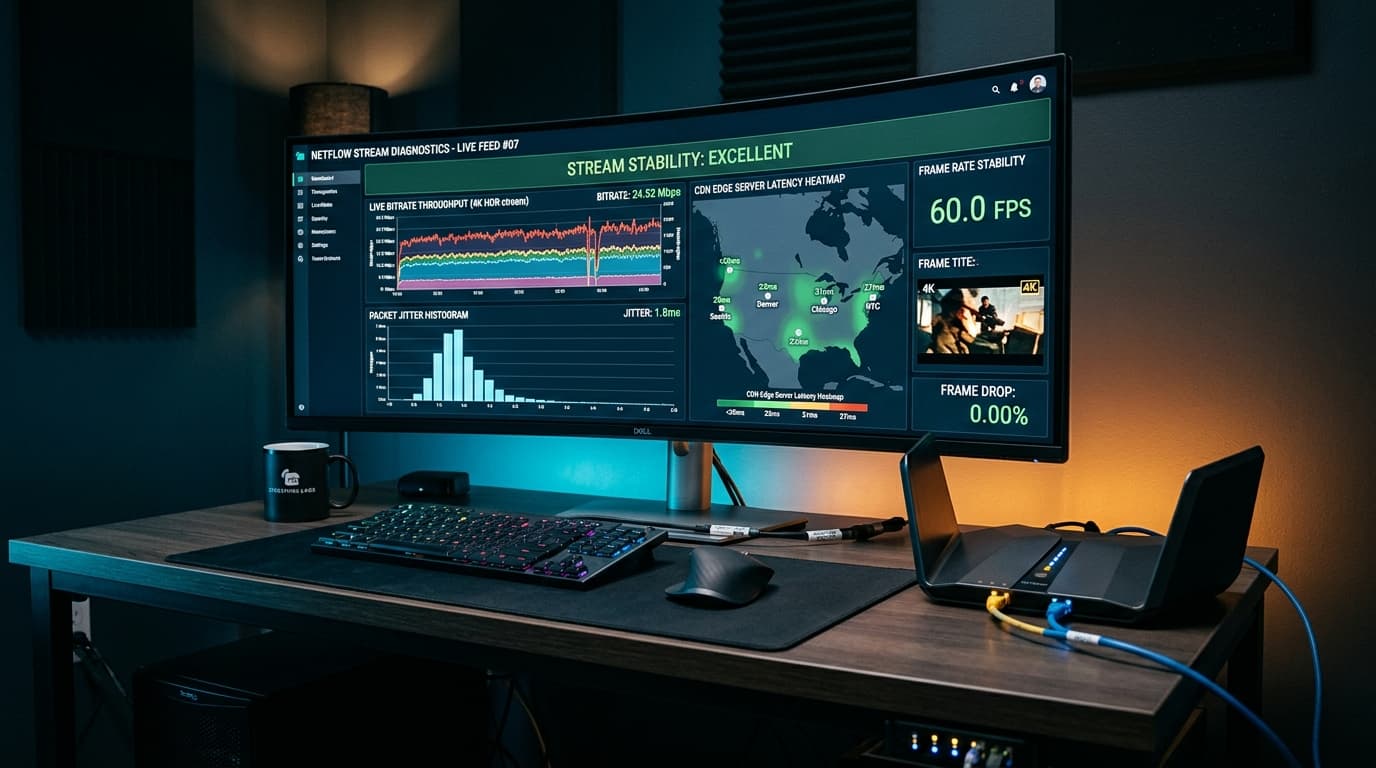
Entry-level resellers host their streams on a single unmanaged server in a remote jurisdiction. In contrast, the best IPTV services deploy geographically distributed CDN edge nodes at regional points of presence (PoPs), keeping ping times below 30ms and preventing buffer bloat.
True 60 FPS Athletic Motion
Budget operators downsample feeds to 30 FPS to slash outbound bandwidth costs. High-tier providers deliver live sports in native 50 or 60 FPS, ensuring fast-moving soccer balls, hockey pucks, and race cars remain razor-sharp without motion blur.
Efficient H.265 (HEVC) Codecs
Modern HEVC compression transmits pristine 1080p 60 FPS video at 6 to 9 Mbps (compared to 14+ Mbps under legacy H.264), allowing households with modest broadband speeds to stream smoothly without congesting other family devices.
Anti-Freeze Load Balancing
When viewership surges during championship matches, automated load balancers detect capacity peaks above 80% and re-route packets to hot-standby mirrors within milliseconds, eliminating buffering before playback drops.
3. Essential Features Every Top IPTV Service Must Deliver
Beyond raw server stability, day-to-day satisfaction hinges on navigational usability, software integration, and feature depth. The following capabilities are non-negotiable when selecting an IPTV service:
1. Robust Electronic Program Guide (EPG) with XMLTV Sync
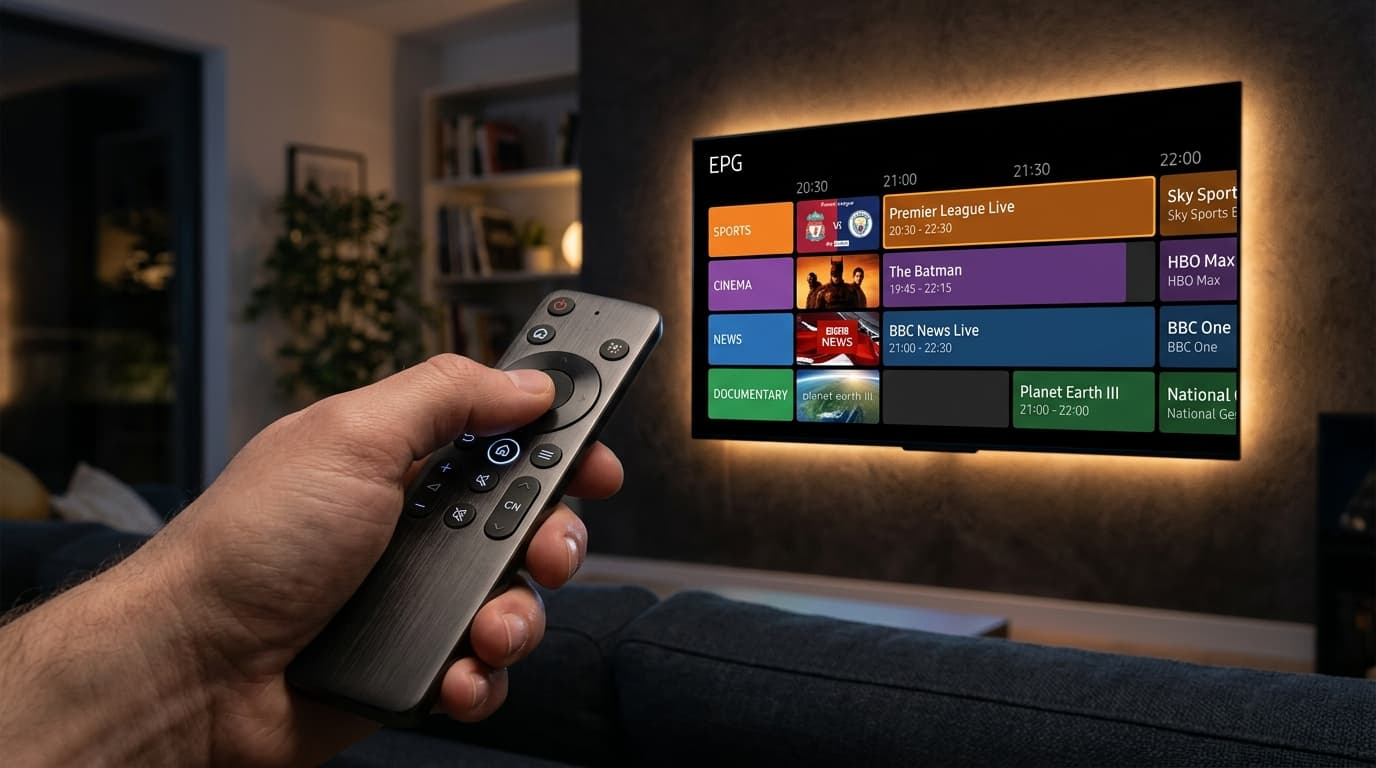
A television service without an accurate guide is nearly unusable. Quality providers supply an automated, continuously updated EPG with 7-day forward program listings, show descriptions, localized time zone offset detection, and high-resolution channel logos.
2. Multi-Day Catch-Up TV and Cloud Time-Shifting
Catch-Up TV records programming automatically to cloud storage, allowing you to access a retroactive catalog spanning the previous 3 to 7 days directly from the guide. Complementary features include live pause, rewind, and fast-forward, providing full DVR control without hardware attachments.
3. Xtream Codes API vs. Static M3U Playlists
While raw M3U playlist URLs require re-downloading entire catalogs upon any channel adjustment, the Xtream Codes API connects your player to the server database via URL, username, and password. This structure separates live channels, movies, and EPG tables for instantaneous synchronization.
Explore the complete technical suite on our IPTV streaming features overview.
4. Hardware Ecosystem & Recommended Player Applications
An IPTV subscription is only as agile as the hardware and playback application running it. Unlike cable, IPTV separates the content feed from the playback client, giving you total freedom to customize your viewing interface.
| Device Category | Recommended Model | Key Strengths | Ideal User |
|---|---|---|---|
| Dedicated Android Stick | Amazon Fire TV Stick 4K Max | Hardware AV1/HEVC decoding, Wi-Fi 6E, low price | Most cord-cutters seeking peak value |
| Audiophile Box | Nvidia Shield TV Pro | Tegra X1+, AI upscaling, gigabit Ethernet, Dolby Vision | Enthusiasts with high-end home theaters |
| Apple Ecosystem | Apple TV 4K (3rd Gen) | A15 Bionic chip, buttery-smooth UI, zero interface ads | Households invested in Apple hardware |
| Budget TV Stick | Chromecast with Google TV 4K | Clean Google TV UI, broad Android APK sideloading | Everyday bedroom or secondary TV setups |
To configure your hardware with step-by-step screenshots, browse our Firestick IPTV setup guide or examine our broader library of IPTV setup tutorials.
Premier Third-Party Player Applications
The finest IPTV providers do not force you into clunky, proprietary software cluttered with ads. Instead, they support the open player ecosystem:
- TiviMate IPTV Player (Android TV / Fire OS): Widely regarded as the pinnacle of IPTV interfaces. Offers a broadcast-style EPG, multi-screen viewing (up to 9 concurrent channels), automated playlist syncing, and customizable channel sorting.
- IPTV Smarters Pro (Multi-Platform): Available across Android, iOS, Windows, Mac, and Samsung/LG Smart TVs. Delivers an intuitive dashboard dividing Live TV, Movies, and Series with integrated parental controls.
- IBO Player & XCIPTV: Lightweight, responsive alternatives ideal for smart televisions running webOS or Tizen OS where sideloading Android packages is not possible.
5. Critical Red Flags: How to Avoid Scams and Predatory Resellers
The IPTV marketplace contains questionable operators looking to exploit inexperienced buyers. Knowing these warning signs will protect your entertainment budget and personal data:
The “Lifetime Subscription” Deception
If a provider advertises a lifetime plan for a one-time fee of $50 to $120, walk away immediately. Live streaming requires ongoing server leases and CDN bandwidth transit. Operators offering lifetime access take upfront cash, overload servers, and disappear after 3 to 6 months. Legitimate services operate on sustainable monthly, quarterly, or annual plans.
Bloated Channel Count Claims (35,000+ Channels)
In reality, 70% of those streams are non-functional dead links, low-resolution 480p feeds, or duplicate loops. A curated catalog of 10,000 to 18,000 pristine, high-bitrate channels with working EPG and 60 FPS sports is infinitely superior to an unmaintained catalog of 40,000 broken links.
Untraceable, Unsecured Payment Portals
Reputable platforms process transactions through encrypted HTTPS checkouts with recognized card processors and standard fraud protections. Beware of services that force you exclusively into irreversible peer-to-peer crypto transfers or suspicious redirection links without refund guarantees.
6. High-Performance vs. Budget Reseller IPTV Services
To visualize how service tiers differ in real-world everyday performance, compare the architectural specifications below:
| Feature / Metric | Low-Tier Budget Resellers | High-Performance IPTV Services |
|---|---|---|
| Server Infrastructure | Single unmanaged VPS host | Global multi-node CDN with edge routing |
| Sports Motion Clarity | 720p/1080p locked at 30 FPS | True 1080p & 4K at 50/60 FPS |
| Video Compression | Outdated H.264 (high bandwidth) | Optimized H.265 (HEVC) + HLS adaptive |
| EPG Reliability | Sporadic, unpopulated, or out of sync | 7-day automated XMLTV sync with offsets |
| Peak-Hour Stability | Frequent buffering during matches | Dynamic load redistribution & anti-freeze |
| API Integration | Often static .m3u file only | Full Xtream Codes API + M3U URL options |
| Multi-Room Support | Single IP locked; extra screens rejected | Configurable multi-connection account tiers |
| Customer Support | Inactive email or abandoned Discord | Responsive ticketing, guides, & active help |
| Pricing Model | “Lifetime” traps or $3/mo panels | Transparent tiered plans ($10–$16/mo) |
Review realistic, sustainable packages on our IPTV subscription plans breakdown.
7. The 7-Step Trial Testing Protocol: How to Stress-Test a Provider
Never commit to an annual plan without testing the service under realistic conditions. Follow this seven-step testing protocol during your initial trial period to verify stream integrity:
Step 1: Schedule Your Test During Peak Sporting Hours
Conduct your trial on Saturday or Sunday during major live football, soccer, or UFC events. If the service maintains stability when millions of global viewers stream simultaneously, its CDN load-balancing is genuine.
Step 2: Benchmark Channel Zapping Speed
Switch between ten consecutive channels across different categories. Acceptable performance initializes streams within 1.0 to 2.5 seconds. Failing performance hangs for 5+ seconds or shows persistent buffering spinners.
Step 3: Inspect Video Bitrate and Frame Rate
Use a player like TiviMate or VLC that displays stream codecs and frame rate diagnostics. Confirm that your primary sports networks output at least 50 to 60 FPS. If the feed reports 25 or 30 FPS, athletic motion will judder on fast sweeps.
Step 4: Verify EPG Population and Sync Accuracy
Check your electronic program guide across national networks and premium movie feeds. Confirm that show titles match actual current programming and that schedule times match your local clock.
Step 5: Scrub Through On-Demand (VOD) Content
Open the movie or series section and start a 4K feature film. Jump forward 30 minutes, then fast-forward another 15 minutes. High-quality VOD storage buffers almost instantaneously; poor servers lock up and freeze.
Step 6: Test Concurrent Streams on Your Local Network
If you selected a multi-connection package, launch the service simultaneously on your main living room television and a smartphone or tablet in another room. Confirm that running both feeds does not trigger authentication errors.
Step 7: Evaluate Support Responsiveness
Submit a basic technical inquiry through the provider's support portal during your trial. Assess their response speed, technical helpfulness, and professionalism. Responsive support indicates an active operational team.
If you encounter buffering during your trial, consult our practical guide to troubleshoot IPTV buffering to determine whether the bottleneck resides with the provider or your local router.
8. Optimizing Your Home Network for Flawless IPTV Playback
Even the best IPTV services can experience stutter if your home network is improperly configured. Apply these three adjustments to guarantee peak transmission stability:
Hardwired Ethernet
Connect your streaming box directly to your router using Cat6 Ethernet. If using wireless, ensure your device connects to your router's 5 GHz or Wi-Fi 6 band within line-of-sight.
Bypass ISP Throttling
If your broadband tests at 200 Mbps but IPTV buffers during evening sports, your ISP may be throttling media packets. Utilizing a high-speed VPN encrypts your traffic and prevents ISP packet inspection.
Player Buffer Size
On fast fiber connections, set playback buffer to “Normal” (1s). On wireless or fluctuating connections, increase buffer to “Large” (3–5s) to absorb momentary packet latency spikes.
Review our complete analysis of internet speed requirements for streaming to calculate bandwidth overhead for multiple household screens.
Frequently Asked Questions
What are the best IPTV services in 2026?
The best IPTV services are platforms built on geographically distributed Content Delivery Networks (CDNs), offering true 1080p and 4K streams at 60 FPS, automated 7-day Electronic Program Guides (EPG), and seamless Xtream Codes API integration. They prioritize server stability during live sports, avoid unrealistic lifetime pricing, and provide responsive customer support.
How do top IPTV services prevent buffering during live sports events?
High-tier providers prevent buffering by distributing bandwidth across regional CDN edge servers rather than routing all viewers through a single machine. When viewership surges during major events, automated load balancers re-route connections to hot-standby mirrors, preventing server saturation and packet loss.
What minimum internet speed is required for 4K IPTV streams?
For standard High Definition (1080p at 60 FPS), a stable download speed of 15 to 25 Mbps per active stream is recommended. For uncompressed 4K Ultra HD broadcasts, a connection of 35 to 50 Mbps ensures smooth playback with sufficient headroom for other household internet activities.
Can I use one IPTV service subscription on multiple devices simultaneously?
Yes, provided your subscription plan includes multi-connection support. Standard entry-level plans generally support one active stream at a time, while upgraded multi-room tiers permit two, three, or four concurrent devices streaming different channels across separate rooms.
Why should you avoid “lifetime” IPTV subscriptions?
Lifetime subscriptions are unsustainable business models. Streaming live high-definition channels incurs continuous server rack leasing and multi-gigabit bandwidth transit costs. Providers offering lifetime access collect upfront cash, overload their servers to capacity, and shut down after a few months, leaving customers stranded without refunds.
What is the difference between Xtream Codes API and an M3U playlist?
An M3U playlist is a single text file containing thousands of raw stream URLs, which must be re-downloaded in full whenever changes occur. Xtream Codes API is an interactive database connection using a server URL, username, and password, enabling your player to separate live TV, movies, series, and EPG data into neat categories with faster loading times.
Will an IPTV subscription work on my Amazon Firestick?
Yes. The Amazon Fire TV Stick is among the most popular and capable devices for IPTV. By installing dedicated players like TiviMate or IPTV Smarters Pro, you can stream live TV, access on-demand libraries, and navigate full program guides directly using your Fire TV remote.
Choosing the Right Service for Your Household
Replacing legacy cable with an IPTV service delivers immense freedom, massive cost savings, and access to a worldwide entertainment catalog. However, long-term satisfaction depends entirely on choosing an established provider with verified server stability, modern H.265 encoding, and multi-platform compatibility.
Never settle for obscure resellers promising impossible channel quantities for pennies. Prioritize robust CDN infrastructure, test candidate services using a short trial during peak sports hours, and pair your subscription with premier player software like TiviMate.
Ready to experience ultra-stable, buffer-free streaming with instant activation and full 4K sports coverage? Explore our flexible IPTV subscription plans, examine our comprehensive IPTV streaming features, or review our frequently asked questions to begin streaming in minutes.