
Most people buying a modern television expect pristine, crystal-clear pictures the moment they press power. Yet anyone who has browsed an IPTV channel playlist has likely noticed an annoying paradox: a stream proudly labeled "4K UHD" can look soft, blurry, or washed out, while a well-encoded 1080p stream occasionally looks sharper and runs without a single hitch.
The term 4K IPTV refers to Internet Protocol Television delivered at Ultra High Definition resolution (3840 × 2160 pixels). While the concept sounds straightforward, the actual execution is among the most technically demanding workflows in modern digital broadcasting.
Between aggressive video compression, bandwidth bottlenecks, deceptive reseller marketing, and mismatched playback hardware, experiencing authentic 4K television over the internet requires understanding how these streams are created, transmitted, and decoded.
1. How 4K IPTV Works: The Broadcast Architecture
Traditional cable and satellite television rely on dedicated coaxial networks or fixed satellite transponders with tight bandwidth caps. To fit hundreds of channels into a limited frequency range, legacy providers heavily compress their signals or restrict Ultra HD broadcasts to a handful of special pay-per-view events.
IPTV eliminates radio frequency constraints by delivering television channels as packetized data over standard internet protocols (typically HTTP Live Streaming or MPEG-TS). When you select a channel, your playback device requests data chunks from a Content Delivery Network (CDN) edge server, which feeds the video into a local memory buffer before decoding.
Streaming four times the resolution of standard Full HD requires three architectural pillars:
Native Capture
Source signals must be captured by 4K studio cameras and encoded via 12G-SDI or SMPTE ST 2110 master feeds. No downstream scaler can restore details never recorded.
HEVC & AV1 Codecs
Uncompressed 4K consumes ~12 Gbps. Modern 10-bit HEVC (H.265) compresses video by 50% over legacy H.264, preserving color depth and motion without pixelation.
Multi-CDN Ingestion
Distributed edge servers maintain constant TCP/UDP socket throughput to deliver sustained bitrates of 20 to 35 Mbps per subscriber without packet drops.
Learn more about our distributed anti-freeze streaming infrastructure designed specifically for high-bitrate live television.
2. True 4K vs. Fake Upscaled "4K": How to Spot the Difference
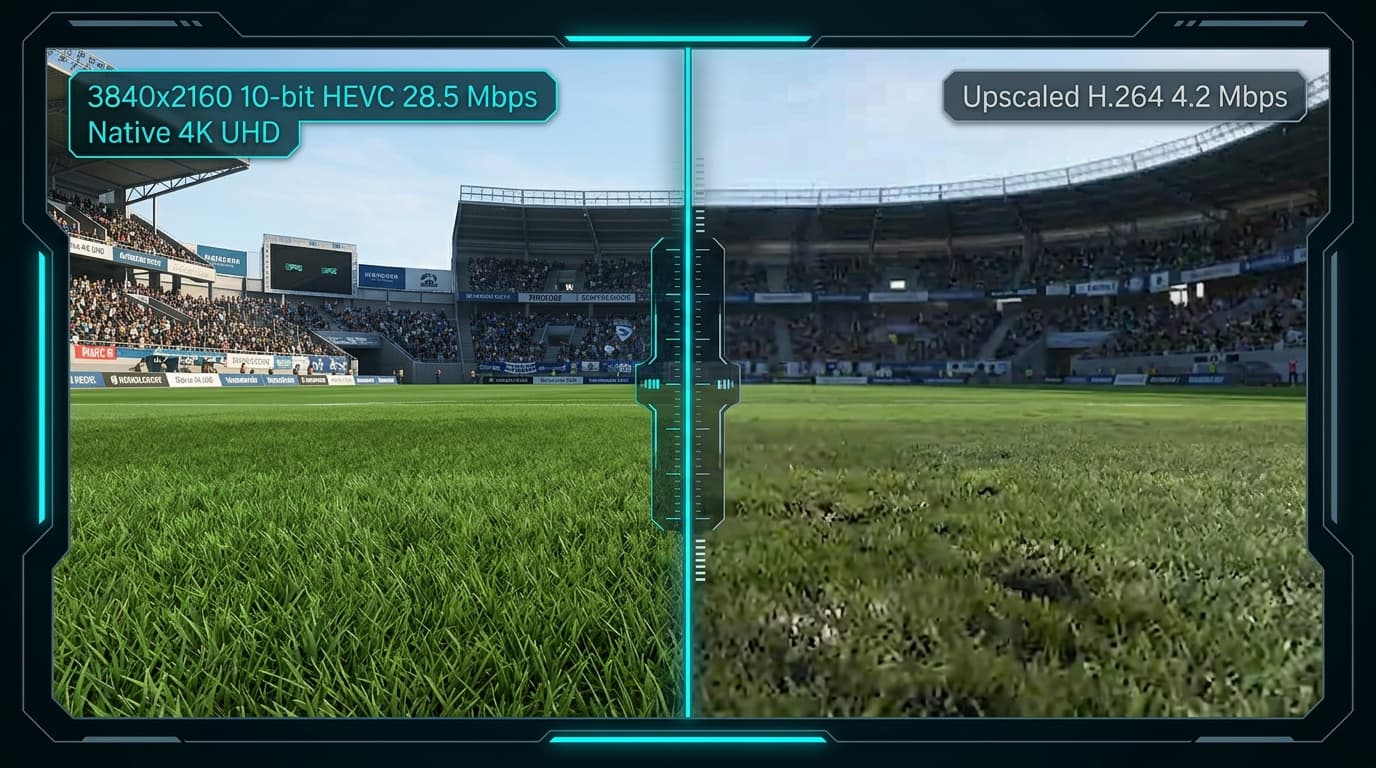
The biggest issue in the IPTV landscape is false labeling. Thousands of budget reseller services take 720p or 1080i satellite feeds, feed them through a cheap hardware scaler, slap a "4K" tag onto the channel name, and market it as premium Ultra HD.
Upscaling does not add visual information; it simply duplicates existing pixels or applies an artificial sharpening filter that creates harsh halos around edges.
| Diagnostic Factor | Genuine Native 4K IPTV | Fake Upscaled "4K" Stream |
|---|---|---|
| True Canvas Resolution | Exact 3840 × 2160 pixels | 1280 × 720 or 1920 × 1080 upscaled via software |
| Video Codec | HEVC / H.265 (Main 10 profile) or AV1 | Legacy AVC / H.264 (High@L4.1) |
| Sustained Bitrate | 18.0 Mbps to 35.0+ Mbps | 3.0 Mbps to 6.5 Mbps |
| Broadcast Framerate | 50.00 FPS (Europe/UK) or 60.00 FPS (US) | 25.00 FPS or 30.00 FPS (choppy sports panning) |
| Color Space & Dynamic Range | Rec. 2020 / 10-bit HDR10 or HLG | Rec. 709 / 8-bit SDR with clipped dynamic range |
| Text & Scoreboard Clarity | Razor-sharp score bugs, legible jersey names | Fuzzy pixel ringing, blurry fine graphics |
| Motion Handling | Fluid ball flight, zero macroblocking | Severe pixelation, ghosting, digital blocking |
How to Verify Stream Authenticity on Your Screen
You do not have to guess whether your stream is genuine. Most advanced IPTV players (such as TiviMate, OTT Navigator, or iMPlayer) feature a built-in technical diagnostic overlay:
Open the Player Statistics HUD
In TiviMate or OTT Navigator, long-press the Select button or navigate to Quick Menu > Stream Information.
Check Resolution & Codec
Verify the dimensions show 3840x2160. If the codec reads h264 instead of hevc or h265, it is an upscaled re-encode.
Check Ingest Bitrate
Genuine 4K broadcasts require massive bandwidth. An authentic 4K feed fluctuates between 18,000 kbps and 32,000 kbps. A feed hovering at 4,000–6,000 kbps is standard compressed HD.
For an in-depth breakdown of subscription tiers, read our best 4K IPTV subscription comparison.
3. Hardware Requirements for Seamless 4K Playback
Playing a 4K IPTV stream is not just about screen resolution; it requires dedicated silicon capable of hardware-decoding complex 10-bit HEVC video streams in real time without thermal throttling.
Using underpowered hardware leads to dropped frames, audio desync, interface lag, and sudden app crashes.
Tier 1: Flagship Players
- •Apple TV 4K (A15 Bionic): Flawless HEVC decoding, dynamic range matching, and Gigabit Ethernet.
- •NVIDIA Shield TV Pro: Premier Android player with AI upscaling, Dolby Atmos passthrough, and Gigabit LAN.
Tier 2: Capable Value Players
- •Fire TV Stick 4K Max (2nd Gen): 2.0 GHz quad-core processor and Wi-Fi 6E support (use wall power adapter).
- •Google TV Streamer 4K: 4GB RAM, 32GB storage, and integrated Gigabit Ethernet port for stable buffer caches.
Devices to Avoid for 4K IPTV
Avoid generic unbranded Android TV boxes powered by low-end Allwinner or Rockchip SoCs. They lack licensed hardware decoders, overheat under continuous HEVC decompression, and drop frames during live broadcasts.
Check our complete guide to supported 4K streaming hardware for detailed setup specs.
4. Internet Speed and Network Optimization for 4K Streaming
A common misconception is that a 25 Mbps internet plan is sufficient for 4K streaming because major on-demand services list 25 Mbps in their minimum specifications.
Live 4K IPTV operates under entirely different network dynamics than on-demand platforms like Netflix or YouTube. On-demand services can pre-buffer minutes of video. Live sports and news maintain a 2- to 5-second buffer to stay synchronized with broadcast television. If packets delay, the buffer empties immediately.
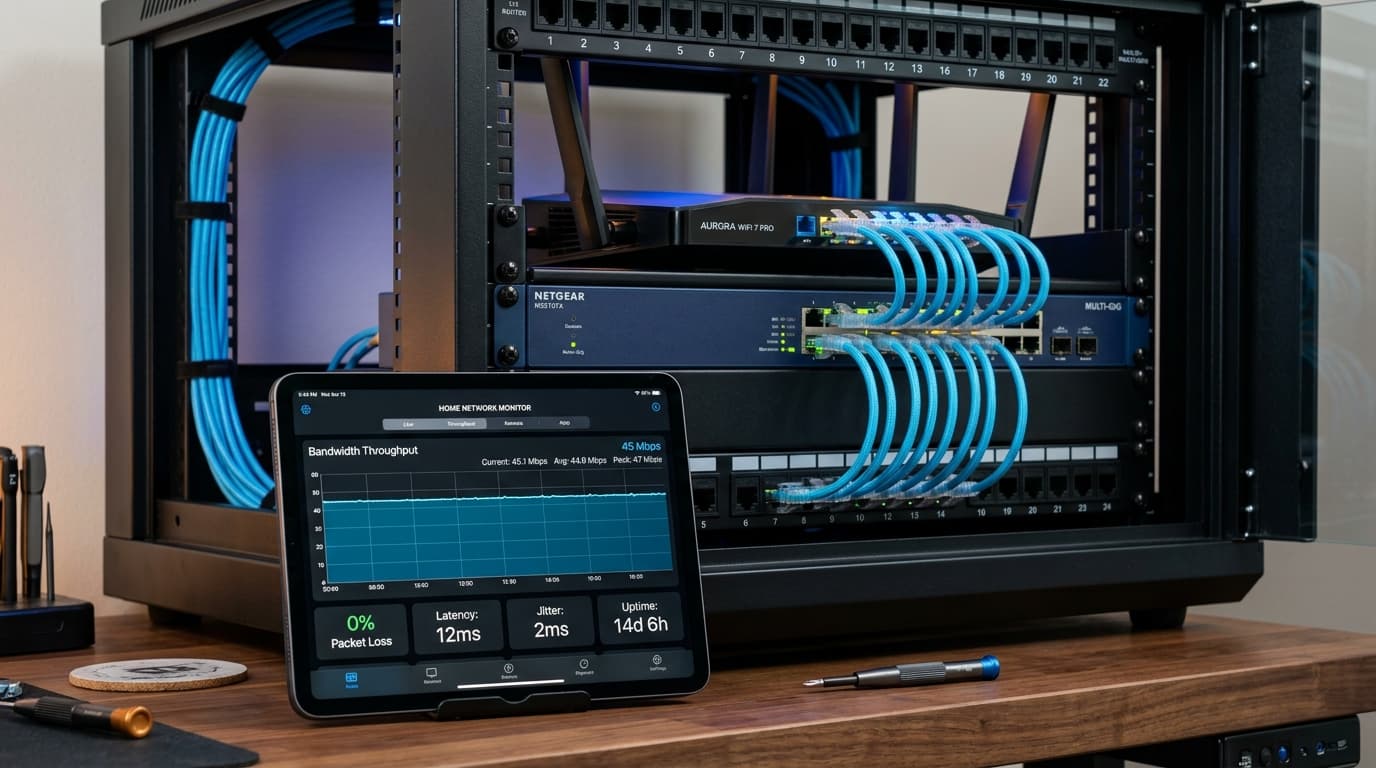
Realistic Bandwidth Budget per 4K Stream
Key Home Network Best Practices:
- Use Cat6 Ethernet: Hardwiring your TV box eliminates Wi-Fi packet drops, latency jitter, and channel hopping delays.
- Force 5 GHz or 6 GHz Wi-Fi: If wiring is impossible, ensure your streaming player connects exclusively to 5 GHz. Never use 2.4 GHz for 4K.
- Set Public High-Speed DNS: Switch router DNS to Cloudflare (
1.1.1.1) or Google (8.8.8.8) to resolve CDN edge servers faster.
For deeper testing techniques, see our guide on internet bandwidth requirements for streaming.
5. IPTV Players vs. IPTV Subscriptions: Understanding the Ecosystem
A frequent point of confusion among newcomers is the difference between a 4K IPTV Player and an IPTV Subscription Service:
The Player App (The Vehicle)
Apps like TiviMate, IPTV Smarters Pro, OTT Navigator, or iMPlayer.
- • Provides the user interface, EPG, and player controls
- • Contains no channels or media on its own
- • "4K Player" means the engine supports 4K decoding when feeds are provided
The IPTV Subscription (The Fuel)
Provided via M3U playlist URLs or Xtream Codes API credentials.
- • Supplies live broadcast feeds, VOD catalogs, and server links
- • Determines picture resolution, framerate, and compression quality
- • Relies on CDN edge capacity to prevent buffering during live events
Follow our step-by-step device installation tutorials to configure your player with Xtream Codes API.
6. What Content Is Actually Available in Real 4K?
While marketing banners sometimes boast "thousands of 4K channels," setting realistic expectations is crucial. Globally, television networks still produce most live broadcasts in 1080i or 720p. True native 4K production is concentrated in high-value broadcasts:
Live Sports
Premier League, UEFA Champions League, Formula 1, NFL playoffs, and grand slam tennis captured on multi-camera 4K trucks at 50/60 FPS.
Nature & Documentaries
Channels like Love Nature 4K and NASA UHD broadcasting continuous cinema-grade panoramic footage with wide color gamut (WCG).
On-Demand Cinema
Curated 4K VOD libraries with uncompressed bitrates, Dolby Vision dynamic HDR metadata, and multi-channel 5.1 surround sound.
7. Troubleshooting 4K IPTV Playback Issues
When 4K streams stutter or drop frames, follow this systematic diagnostic sequence:
Issue: Periodic Buffering Every 10–20 Seconds
Solution: Test bandwidth directly on your streaming device. If speed exceeds 50 Mbps but buffering continues, change your stream format from TS to HLS (m3u8) in your player settings, or test through a high-speed streaming VPN to bypass ISP peering bottlenecks.
Issue: Audio Plays Smoothly, But Video Stutters or Freezes
Solution: This is a software decoding bottleneck. Go to Player Settings > Playback > Video Decoder and switch from Software to Hardware (or Hardware+) to activate your device's GPU processor.
Issue: Dull, Washed-Out Colors on HDR Feeds
Solution: Confirm your HDMI cable connects to an HDMI 2.0b / 2.1 port that supports HDCP 2.2. In your television's input menu, enable "Enhanced HDMI / HDMI Ultra HD Deep Color".
For more troubleshooting steps, check our common IPTV playback troubleshooting guide.
8. Summary Checklist: Building the Ultimate 4K IPTV Setup
Frequently Asked Questions About 4K IPTV
Is 4K IPTV really native 4K?
It depends on the provider. Reputable premium providers deliver genuine native 4K feeds with 3840×2160 resolution, 50/60 FPS framerates, and 18–35 Mbps bitrates for major sports events and specialized channels. However, budget reseller services frequently upscale standard 720p or 1080p feeds. You can verify authentic streams by inspecting the codec details in your player.
How much internet data does a 4K IPTV stream use per hour?
A true 4K stream running at a constant bitrate of 25 Mbps consumes approximately 11 to 12 Gigabytes (GB) of data per hour. If your home internet plan has a strict monthly data cap, keep this usage in mind when streaming live Ultra HD broadcasts regularly.
Can I stream 4K IPTV on a Firestick?
Yes, but only on 4K-capable models such as the Fire TV Stick 4K, Fire TV Stick 4K Max, or Fire TV Cube. The standard Fire TV Stick (Lite or HD) is limited to 1080p output and lacks the hardware capability to decode 4K HEVC streams.
Why does my 4K stream buffer even though I have 500 Mbps internet?
Raw speed test results on a PC or phone do not reflect the path between your streaming device and the provider's specific video server. Buffering can occur if your streaming device is connected to weak 2.4 GHz Wi-Fi, if your local internet service provider is throttling streaming traffic during peak evening hours, or if the provider's broadcast server lacks adequate multi-CDN transit capacity.
What is the best video player app for 4K IPTV?
For Android and Fire TV devices, TiviMate IPTV Player is widely recognized as the top choice due to its native hardware decoding support, snappy EPG, and integrated stream diagnostics. For Apple TV (tvOS), iSTB, UHF, and Snappier IPTV deliver exceptional performance.
Upgrade Your Home Theater Experience
Experiencing live sports, cinematic releases, and documentaries in authentic Ultra High Definition completely transforms home viewing. Test genuine high-bitrate streaming with rock-solid server stability today.