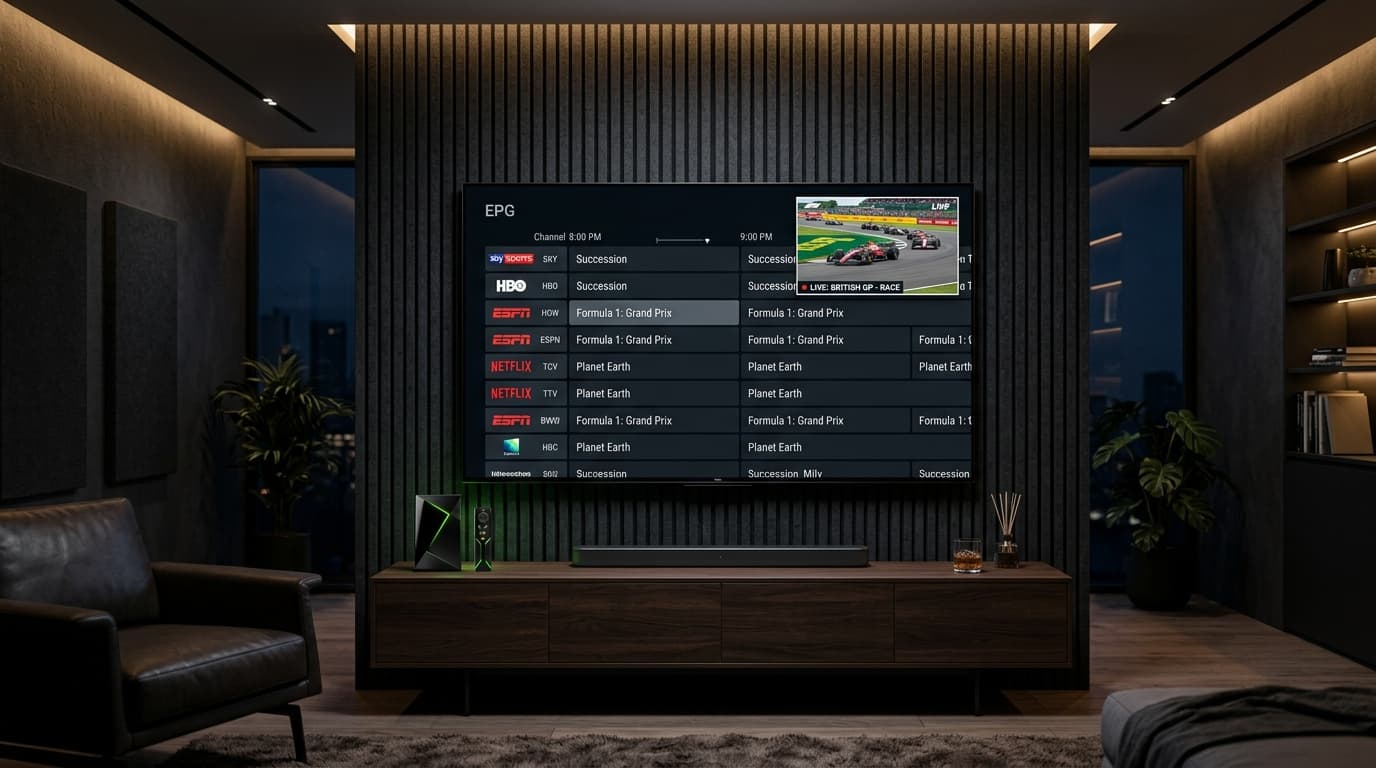
Among cord-cutters and home theater enthusiasts, TiviMate IPTV Player is universally recognized as the premier application for watching live television on Android TV, Google TV, Firestick, and Nvidia Shield devices. Its fluid electronic program guide, lightning-fast channel zapping, picture-in-picture capabilities, and multi-view sports features recreate the premium feel of high-end satellite receivers.
However, TiviMate is merely a media player—it does not supply content. The quality of your viewing experience depends entirely on the server backend feeding it. Pair TiviMate with a congested, low-tier reseller service, and you will face missing guide data, broken catch-up links, and buffering loops.
To get the absolute most out of TiviMate in 2026, you need an IPTV provider engineered with clean Xtream Codes API architecture, synchronized XMLTV program guides, archive server support for Catch-Up TV, and multi-connection concurrency.
Why TiviMate Demands an Enterprise-Grade IPTV Provider
TiviMate exposes every technical strength and weakness of an IPTV provider. Unlike simpler player apps that only display a basic channel list, TiviMate actively queries server endpoints for metadata, archive timestamps, and stream parameters:
EPG Metadata Parsing
TiviMate builds an internal SQLite database for your schedule. If a provider supplies malformed XMLTV files, TiviMate's guide updates will fail or stall.
Catch-Up Archive Handshakes
TiviMate uses specific URL parameters to request archived video chunks. Budget providers lack dedicated archive storage, breaking the Catch-Up feature.
Multi-Screen Bandwidth
Watching 2 to 4 games at once in TiviMate requires simultaneous high-bitrate delivery without server-side connection throttling.
5 Must-Have Features in an IPTV Service for TiviMate
When searching for the best IPTV for TiviMate, verify that your prospective provider meets these five critical requirements:
1Native Xtream Codes API Authentication
While TiviMate can parse standard M3U links, logging in via Xtream Codes API (Server URL, Username, and Password) is vastly superior. It enables automatic category grouping, separates live channels from VOD libraries, pulls channel logos automatically, and keeps your TV guide in sync with zero manual text file editing.
2Complete, Synchronized EPG with High-Res Channel Logos
TiviMate's interface shines when populated with clean program titles, episode descriptions, and transparent channel icons. Providers like nobiptv update electronic program schedules multiple times daily, ensuring US, UK, Canadian, and European sports schedules align down to the minute.
3Working Catch-Up TV Support (7-Day Replay)
TiviMate Premium includes built-in Catch-Up support. When a channel supports replay, a small clock icon appears in the guide. A high-tier provider maintains dedicated rolling video archives so you can rewind past broadcasts, pause live television, or watch games you missed earlier in the week.
4True 4K UHD & 60FPS Sports Bitrates
TiviMate utilizes ExoPlayer and VLC hardware acceleration, capable of decoding uncompressed 3840×2160 streams at 60 FPS without frame drops. Your provider must supply genuine high-bitrate HEVC streams for marquee sports fixtures rather than cheap 720p feeds upscaled into fake 4K.
5Clean, Curated Channel Categories (No Junk Bloat)
Shady resellers brag about having "90,000 channels," but 80% are dead links, duplicates, or test feeds. This junk bloat slows down TiviMate's database synchronization. Quality providers organize channels logically by country, resolution, and genre so navigation remains instantaneous.
TiviMate Optimization: Best Settings for Buffer-Free Streaming
To maximize playback smoothness on your streaming device (such as an Nvidia Shield, Chromecast with Google TV, or Firestick 4K), configure TiviMate with these recommended settings:
Buffer Size Configuration
Go to Settings > Playback > Buffer size. On high-speed fiber or cable connections, set to Medium or Large. This provides 3 to 5 seconds of packet buffer, eliminating micro-stutters during live sports.
Stream Format: HLS vs. MPEG-TS
In your playlist settings, test both MPEG-TS and HLS formats. MPEG-TS typically delivers faster channel zap times (under 2 seconds), while HLS offers superior buffer resilience on fluctuating Wi-Fi connections.
EPG Update Intervals
Navigate to Settings > EPG > Update intervals and set to Every 4–6 hours. Also enable "Update on app start" to guarantee sports schedules and TV listings remain continuously accurate.
Hardware Video Decoder
Under Settings > Playback, ensure video decoding is set to Hardware. This offloads 4K HEVC processing to your TV's GPU, preventing processor overheating and frame drops.
Scorecard: Evaluating IPTV Compatibility with TiviMate
Use this benchmark matrix to assess whether an IPTV provider meets the standards required for TiviMate:
| TiviMate Feature | Top-Tier Provider (Pass) | Budget Reseller (Fail) |
|---|---|---|
| Xtream Codes Login | Instant database parsing & sync | Only supplies raw unindexed M3U text |
| EPG Guide Accuracy | >95% channels mapped with metadata | Widespread "No Information" errors |
| Catch-Up Playback | Working clock icon with 7-day replay | Icon shows but stream errors on click |
| Channel Zap Time | 1.5 to 2.5 seconds per switch | 5 to 8 seconds with black screen delays |
| Multi-View Sports | 2–4 streams render smoothly | Immediate account freeze or ban |
How to Configure nobiptv on TiviMate in 4 Simple Steps
Setting up nobiptv on TiviMate takes less than three minutes using our automated Xtream Codes API server:
Step 1: Open TiviMate and Select "Add Playlist"
Launch TiviMate on your Android TV, Fire TV, or Shield. On the welcome screen (or under Settings > Playlists), click Add Playlist.
Step 2: Choose "Xtream Codes API"
Select Xtream Codes instead of M3U playlist. This enables structured database caching for channels, guide listings, and on-demand titles.
Step 3: Enter Your nobiptv Connection Details
Input your Server URL, Username, and Password provided in your activation message:
Step 4: Click Done & Allow Initial EPG Sync
Click Next and name the playlist "nobiptv". Within two minutes, TiviMate will finish importing the full channel directory, EPG schedules, and category groups.
Why nobiptv Is Built for TiviMate Power Users
At nobiptv, our broadcast architecture is engineered specifically for premium media players like TiviMate:
High-Availability CDN Edge Nodes
Low-latency edge routing guarantees 1.5-second channel zapping and zero buffer wheels during live sports.
Dedicated XMLTV EPG Server
Accurate guide listings mapped continuously to US, UK, European, and international channel lineups.
Working Catch-Up Replay
Watch past sporting events, news, and entertainment shows on supported channels directly from your TV guide.
Risk-Free 24-Hour Test Stream
Test our streams on your TiviMate setup today with a free IPTV free trial—zero payment details required.
Frequently Asked Questions About IPTV for TiviMate
Why is TiviMate considered the best IPTV player in 2026?
TiviMate is engineered specifically for Android TV and Firestick remotes. It offers the fastest EPG guide rendering, seamless Xtream Codes API integration, multi-view screen splitting, Catch-Up TV playback, and hardware-accelerated stream decoding.
Does TiviMate work better with Xtream Codes or M3U playlists?
Xtream Codes API is significantly better. It allows TiviMate to fetch channels, EPG data, and VOD categories in structured database queries. M3U playlists force TiviMate to parse huge raw text files on every launch, slowing down startup times.
Why is EPG data missing on some channels in TiviMate?
Missing EPG data occurs when a provider uses mismatched XMLTV channel IDs or fails to keep their guide servers synchronized. Premium providers like nobiptv maintain continuously updated EPG feeds mapped directly to channel streams.
How does Catch-Up TV work in TiviMate?
When a channel supports Catch-Up, TiviMate displays a small clock icon next to previous programs in the TV guide. Clicking a past show tells the provider's server to pull the recorded stream archive so you can watch past broadcasts on demand.
Can I run Multi-View in TiviMate with a standard IPTV account?
Playing multiple screens simultaneously in TiviMate requires an active stream connection for each window. If your subscription only permits 1 connection, running multi-view can cause stream lockouts. Multi-connection plans allow seamless 2 to 4-screen multi-view.
Can I test nobiptv on TiviMate before purchasing?
Yes. nobiptv provides a 24-hour test stream with zero credit card required. You will receive Xtream Codes credentials (Server URL, Username, and Password) to test TiviMate's EPG, 4K sports, and Catch-Up features immediately via WhatsApp support.
Supercharge Your TiviMate Experience Today
Experience uncompressed 4K 60FPS sports, instant EPG guides, and working Catch-Up TV in TiviMate. Zero credit card required for your test pass.