Amazon Fire TV Stick devices dominate the cord-cutting landscape for good reason: they pack capable hardware decoders, responsive remotes, and flexible operating systems into an affordable HDMI dongle. However, plugging a Firestick into your television is only half the battle. To transform that streaming stick into a seamless live television hub, you need the right IPTV player application.
A mediocre player produces sluggish channel switching, dropped frames on fast-paced live sports, desynchronized audio, and clunky grid guides that crash when loading large channel libraries. A well-optimized player delivers an experience indistinguishable from—or superior to—high-end satellite and cable boxes.
This guide reviews the best iptv apps for firestick in 2026, compares their playback engines and system footprints, walks through safe installation on modern Fire OS builds, and details the configuration tweaks that eliminate stream buffering.
1. IPTV Players vs. IPTV Services: The Crucial Distinction
Before evaluating individual applications, understand how digital IP streaming operates on Amazon Fire TV hardware.
[IPTV Player App]                    [IPTV Service Provider]
(TiviMate, Smarters, XCIPTV)   ───►  (Server Feeds, M3U / Xtream API)
• User Interface & Grid Guide        • Broadcast Ingestion & Edge CDNs
• Video Decoding (HW/SW Engines)     • Live Channels & VOD Catalog
• Remote Control Navigation          • EPG Timelines & Stream Bandwidth
What an IPTV Player Actually Does
An IPTV app is a video management engine and media player shell. It contains zero content, zero TV channels, and zero movie streams. Its purpose is to ingest your playlist credentials, parse Electronic Program Guide (EPG) metadata, communicate with remote media servers, decode incoming H.264, HEVC (H.265), or AV1 video streams, and render the output onto your display.
Why Your Choice of App Matters
Fire TV hardware operates within tight RAM constraints—ranging from 1 GB on the Fire TV Stick Lite to 2 GB on the Fire TV Stick 4K Max. If a poorly coded application attempts to store 30,000 channel entries in active system memory while parsing uncompressed XML guides, the Firestick runs out of memory, drops video packets, and freezes the stream.
2. Top IPTV Apps for Firestick Ranked & Compared
We tested the leading IPTV players across multiple Fire TV models (including Fire TV Stick 4K, 4K Max 2nd Gen, and Fire TV Cube) to measure interface responsiveness, channel zap times, EPG rendering speed, and audio/video stability.
1TiviMate IPTV Player — The Undisputed Benchmark for TV Screens
Best Overall ExperienceTiviMate stands as the gold standard of dedicated TV-screen IPTV players. Unlike many Android apps that simply port a touchscreen smartphone layout over to a TV screen, TiviMate was engineered from the ground up specifically for remote-control navigation and television displays. Discover how to get the most from it in our dedicated guide to optimizing IPTV playlists for TiviMate.
- Cable-grade, customizable EPG grid
- Up to 4-channel Multi-View streaming
- Local & SMB Network Recording (DVR)
- Cloud backup and multi-device restoration
- Requires paid premium tier for multi-view & DVR
- License managed via separate companion app or web
2IPTV Smarters Pro — The Most Accessible Universal Player
Best for BeginnersIPTV Smarters Pro is the most widely deployed IPTV application across multiple platforms. Its popularity stems from broad device support and straightforward credential entry that works intuitively for beginners.
- Clean tile dashboard (Live TV, Movies, Series)
- Native Xtream Codes API integration
- Built-in speed test and parental PIN locks
- Dual internal player engines (ExoPlayer & VLC)
- Less responsive grid guide on very large playlists
- Interface feels more tablet-like than TV-native
3XCIPTV Player — Reliable, Feature-Packed, and Free-Tier Friendly
Best Value Free OptionXCIPTV Player (by OTTRUN) delivers a modern, visually striking media console interface. It is an excellent option for viewers who want a clean dashboard without committing to paid software licenses upfront.
- Generous free feature tier with dual players
- Great VOD catalog layouts with metadata & trailers
- Customizable home screen category visibility
- Horizontal layout requires extra clicks on remote
- Can feel busy until unneeded sections are hidden
4iMPlayer — Advanced Cloud Sync & Multi-Screen Management
Best for Multi-TV HomesiMPlayer is a powerful contender engineered for power users who manage multiple television sets throughout a household and demand remote configuration capabilities.
- Web-based cloud dashboard to push playlists remotely
- Multi-screen up to 4 streams with customizable layouts
- Robust server-side catch-up timeline integration
- Requires premium license to unlock multi-screen
- Web dashboard adds an initial setup step
5Televizo — Lightweight Performance for Entry-Level Firesticks
Best for Low-RAM SticksIf you are using an older Fire TV Stick (such as the 2nd Gen Stick or Fire TV Stick Lite) that suffers from limited RAM and sluggish processing, Televizo is one of the most efficient players available.
- Extremely low RAM footprint (~95MB)
- Rapid guide parsing with zero thermal throttling
- Simple, clutter-free channel list navigation
- No multi-view or cloud playlist synchronization
- Minimalist aesthetics without heavy poster art
6OTT Navigator IPTV — Deep Customization & Frame Rate Matching
Best for AV EnthusiastsOTT Navigator IPTV caters to video purists and home theater hobbyists who want absolute control over stream parameters, codec pipelines, and display synchronization.
- Auto Frame Rate (AFR) matching (50Hz vs 60Hz)
- Smart channel merging and multi-provider failover
- Picture-in-Picture (PiP) and custom audio offset filters
- Complex settings hierarchy with steep learning curve
- Higher RAM usage on budget Firesticks
3. Side-by-Side Comparison: Features, Formats & Overhead
Compare key playback capabilities and memory overhead across the tested applications:
| Application | UI Layout | Xtream Codes | Multi-View | Catch-Up | RAM Footprint | Price Model |
|---|---|---|---|---|---|---|
| TiviMate | TV Grid Guide | Yes | Up to 4 | Yes | ~160 MB | Freemium / Paid |
| IPTV Smarters Pro | Dashboard Tiles | Yes | Basic Splits | Yes | ~210 MB | Free / In-App Pro |
| XCIPTV | Media Console | Yes | Dual Screen | Yes | ~190 MB | Free / Pro |
| iMPlayer | Grid / Cloud Hub | Yes | Up to 4 | Yes | ~180 MB | Freemium / Paid |
| Televizo | Minimalist List | Yes | No | Yes | ~95 MB (Lowest) | Free / Pro |
| OTT Navigator | Technical Grid | Yes | PiP & Splits | Yes | ~240 MB | Freemium / Paid |
4. How to Install IPTV Apps on Firestick via Downloader (Fire OS 7 & Fire OS 8)
Because dedicated IPTV players are media utility software, many are not distributed directly through Amazon's curated Appstore. You must sideload them using the trusted Downloader utility. Follow our comprehensive Firestick IPTV setup guide or the steps below:
1Step 1: Reveal Hidden Developer Options on Modern Fire OS
Go to Settings (gear icon) > My Fire TV > About. Highlight your device name (e.g., Fire TV Stick 4K Max) and press the Select button 7 times rapidly. A notification will appear: "No need, you are already a developer." Press Back to see the new Developer Options menu.
2Step 2: Install and Authorize Downloader
Search for Downloader in the Fire TV Find menu and install the orange app by AFTVnews. Then go to Settings > My Fire TV > Developer Options > Install Unknown Apps, find Downloader, and toggle it to ON.
3Step 3: Sideload Your Selected APK
Launch Downloader, grant storage permissions, and enter the direct APK URL or numeric Downloader Quick Code provided by your chosen app developer. Once downloaded, click Install, and then select Delete on the prompt to purge the APK installer and save internal memory.
5. Xtream Codes API vs. M3U Playlists: Which to Use on Firestick?
When configuring your IPTV app, your provider will typically supply credentials in two formats: an M3U playlist link or Xtream Codes API credentials.
M3U Playlist URLs
Long, complex URLs requiring 100+ keystrokes on an on-screen remote. Forces the Firestick to parse one massive file every time the guide updates, eating up RAM and causing startup freezes.
Xtream Codes API (Recommended)
Simple three-field input (Server URL, Username, Password). Loads categories dynamically, separates Live TV from on-demand movies, and auto-syncs EPG data without memory strain.
6. How to Optimize Your Firestick IPTV App for Zero Buffering
Fine-tuning internal media engine and buffer settings ensures that high-bitrate live sports and 4K broadcasts glide smoothly without dropped frames.
Hardware (HW) vs. Software (SW) Decoding
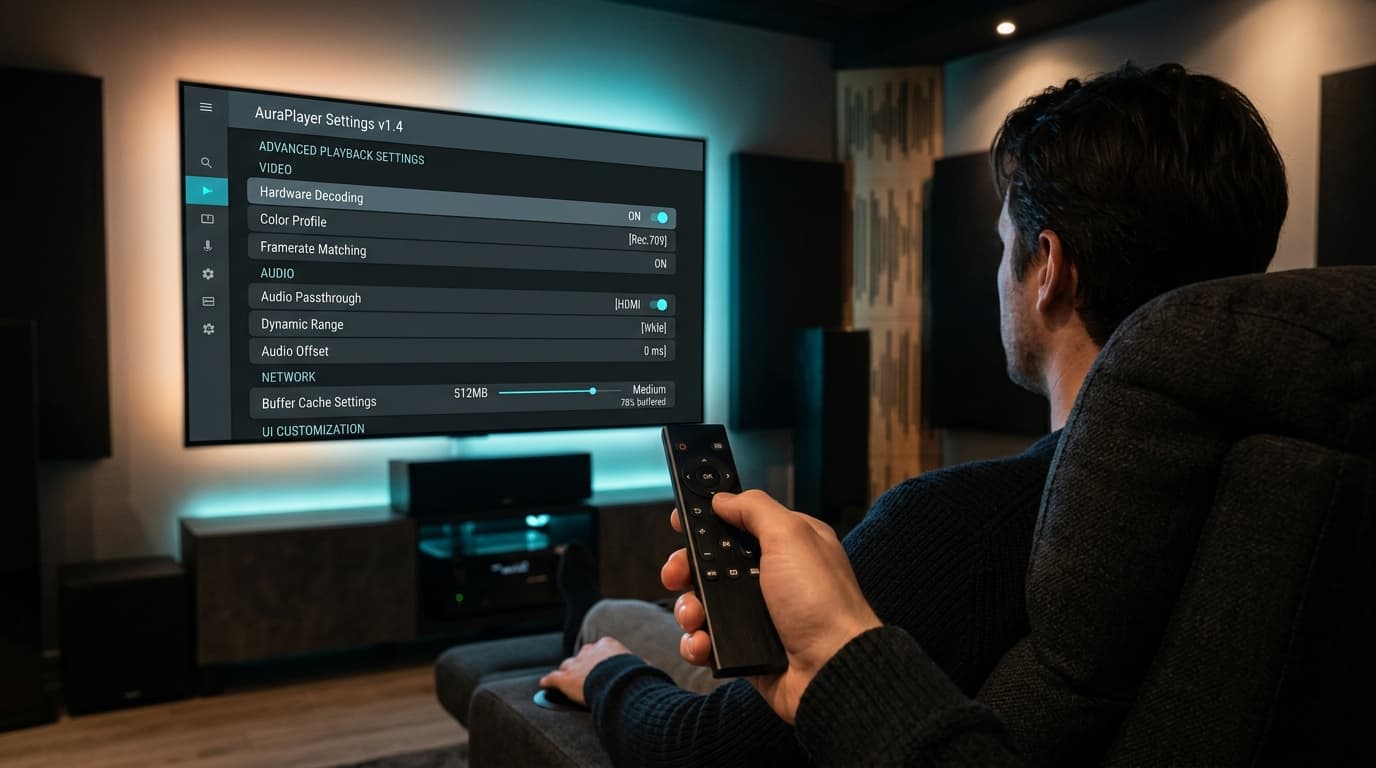
Always set primary video decoding to Hardware (HW or HW+). This offloads video decompression to the Firestick's dedicated silicon. Software decoding forces the CPU cores to render video, triggering overheating and stutter.
Stream Buffer Sizing
On fiber or fast Wi-Fi, select Small or Normal buffer for instant channel switching. If your Wi-Fi experiences jitter, set to Medium (3-5 seconds of reserve). Avoid "Very Large" to prevent RAM overflow. Check our guide on recommended internet speeds for IPTV.
Filter Out Unneeded Channels
In your player’s playlist settings, hide international country folders you never watch. Trimming your active list from 25,000 to 2,000 channels speeds up guide loading by up to 80% and frees system memory.
Enable Auto Frame Rate (AFR)
Turn on AFR in TiviMate or OTT Navigator. This matches your TV's refresh rate to incoming 50 FPS (European sports) or 60 FPS (US sports) feeds, eliminating micro-judder during fast-moving action.
7. Troubleshooting Common Firestick IPTV App Errors
When video anomalies crop up, apply these targeted remedies to get back to streaming quickly. For deeper diagnosis, consult our tutorial on how to troubleshoot IPTV buffering and playback issues.

Black Screen with Audio Playing (Codec Mismatch)
Switch the video decoder in player settings from Hardware to Hardware+, or toggle the internal player engine from ExoPlayer to VLC.
Video Stutter or Audio Drift on 4K 60FPS Streams
Ensure your Firestick is connected to a dedicated wall power outlet rather than a TV USB socket. Clear background app cache via Fire TV Settings > Applications > Manage Installed Applications.
EPG Guide Fails to Load or Shows Empty Grids
In your player’s EPG settings, click Clear EPG Data and trigger a manual update. Confirm that the time zone offset in the app matches your actual geographic location.
App Crashes Unexpectedly Back to Home Screen
Out-of-memory error. Go to Fire TV Settings > Applications > select your player > click Clear Cache (do not select Clear Data). Restart the Firestick by holding Select + Play/Pause for 5 seconds.
8. Frequently Asked Questions
Are IPTV player apps legal to install on Amazon Firestick?
Yes. IPTV player applications such as TiviMate, IPTV Smarters Pro, and XCIPTV are completely legal media playback tools. They contain no copyrighted content. Legality depends entirely on the IPTV service or playlist you connect to the player and whether that provider holds broadcast distribution rights.
Can I install IPTV apps on a Firestick without a computer?
Yes. Using the official Downloader application available directly inside the Amazon Appstore, you can sideload any IPTV player APK file onto your Firestick in less than three minutes without needing a PC, Mac, or USB drive.
Which IPTV app is best for older Fire TV Stick models?
For older devices like the Fire TV Stick 2nd Gen or Fire TV Stick Lite, Televizo is the best option. It has a lightweight memory footprint, low CPU overhead, and minimal background caching, preventing the interface lockups common with heavier media suites.
What is the difference between TiviMate Free and TiviMate Premium?
TiviMate Free allows basic live TV playback with a standard guide for a single playlist. TiviMate Premium unlocks multi-playlist support, 4-stream multi-view, scheduled recording (DVR), catch-up television, custom channel grouping, and cloud backup/restore functions.
Why do some live sports streams buffer even when using a top-rated player?
A top-tier player app guarantees smooth decoding on your hardware, but it cannot fix an unstable source stream. If your IPTV provider uses congested restream servers or lacks direct broadcast ingestion, streams will stall during peak viewership regardless of your app settings. For seamless performance, learn more about choosing the best IPTV service for Firestick.
Pair Your Favorite Player with Unbuffered 4K Streams
Experience 25,000+ live channels, 60FPS sports broadcasts, and an ultra-responsive EPG guide on your Firestick with nobiptv's anti-freeze network architecture.