Best IPTV Services: The Technical Benchmark & Cord-Cutter's Guide
Traditional television delivery has fundamentally broken down for the modern viewer. Between ballooning cable packages that regularly exceed $150 per month, regional sports blackouts, and fragmented streaming subscriptions requiring half a dozen separate apps, cord-cutters are turning in record numbers toward Internet Protocol Television (IPTV).
However, searching for the best IPTV service quickly reveals a chaotic marketplace filled with confusing acronyms, fly-by-night resellers, inflated marketing promises, and sudden buffering during the final two minutes of a championship football match.
Finding an IPTV provider that genuinely replicates the rock-solid stability of traditional cable while unlocking high-bitrate 4K sports and global channels requires understanding the underlying streaming architecture. This guide cuts through marketing hype to deliver an objective technical benchmark for evaluating, testing, and selecting the best IPTV service for your home entertainment setup.

1. What Separates the Best IPTV from Unstable Reseller Panels?
The single biggest misconception among new cord-cutters is assuming all IPTV services are created equal because they boast similar channel catalogs. Behind the user interface, the technical pipeline between the source broadcast and your television screen determines whether your stream runs fluidly or buffers constantly.
The High-Performance IPTV Delivery Pipeline:
[Satellite / Broadcast Teleport] → [GPU Ingestion & Hardware Transcoding] → [Global Edge CDN & Load Balancing] → [ISP Router (Ethernet / 5GHz)] → [Media Player: TiviMate / Smarters on Firestick / Apple TV]Direct Stream Ingestion vs. Re-Streamed Restreamers
The foundation of any top-tier service is direct signal capture. Premium providers operate private satellite downlink teleport receivers and dedicated optical ingest cards. They capture live feeds directly from source feeds, transcode them on enterprise GPU hardware, and deliver them to private Content Delivery Networks (CDNs).
Budget providers, by contrast, are typically "restreamers" who purchase access to third-party panels and re-encode compressed feeds that have already passed through multiple intermediate hops. Every hop introduces latency, packet loss, and audio desynchronization. When an upstream feed drops, restreamers have zero control over restoring the signal.
True 50/60 FPS Sports Broadcasts vs. Compressed 30 FPS Feeds
Live sports represent the ultimate litmus test for streaming fidelity. A football flying across a pitch, a Formula 1 car taking a corner at 180 mph, or an ice hockey puck traveling across the rink requires a full 50 or 60 frames per second (FPS) to appear fluid.
Inferior services cut server operating costs by halving broadcast frame rates to 25 or 30 FPS and compressing 1080p feeds down to sub-4 Mbps bitrates. The result is jittery, blurred motion that causes severe eye strain on modern 4K OLED and large LED displays. The best IPTV providers deliver genuine 1080p and 4K UHD signals at native 50/60 FPS with bitrates maintained between 12 Mbps and 25 Mbps. Explore our dedicated sports IPTV streaming guide for in-depth network schedules.
Dedicated Edge CDNs and Anti-Freeze Load Balancing
Stream freezing rarely occurs on a random Tuesday morning. It strikes on Sunday afternoon during kickoff or on Saturday evening during a major pay-per-view championship.
This happens because cheap servers lack dynamic elasticity. When tens of thousands of viewers tune into the exact same channel simultaneously, the server's network bandwidth saturates, resulting in packet drops and perpetual buffering circles. High-performance IPTV infrastructures utilize load-balanced CDN clusters deployed across North America, Europe, and Asia. When viewer demand surges, incoming traffic automatically disperses across geographically proximate edge nodes to maintain steady latency.
2. Essential Technical Criteria When Evaluating the Best IPTV Providers
When assessing candidate services, look beyond flashy landing pages and verify these core technical parameters.
Xtream Codes API Support vs. Raw M3U Playlists
While raw .m3u8 playlist links are widely supported, they represent an outdated, inefficient method for loading massive catalogs. A raw M3U text file containing 25,000 live channels and 60,000 video-on-demand (VOD) titles can exceed 150 megabytes in text size alone. Loading that file forces your streaming stick to parse millions of lines of code into memory at launch, often crashing low-RAM devices like standard streaming sticks.
The best IPTV providers supply Xtream Codes API credentials:
- Server URL: (The provider's gateway address)
- Username: (Your private account identifier)
- Password: (Your encrypted token)
The Xtream Codes API queries the provider's database dynamically via JSON. Your player downloads only the categories you browse, keeping your hardware responsive while allowing instantaneous synchronization of channel groups, subtitles, and audio tracks.
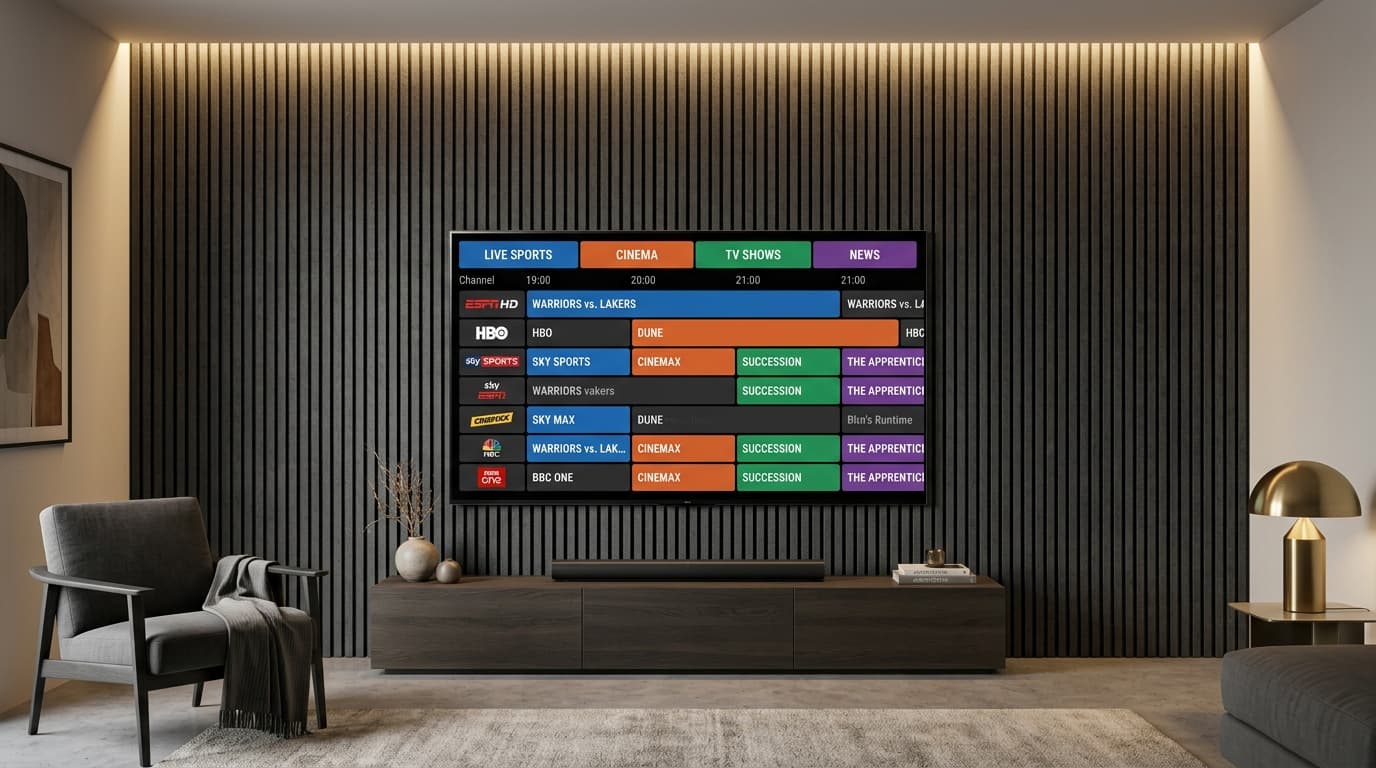
Electronic Program Guide (EPG) Accuracy and 7-Day Timelines
A live television service without an accurate guide is virtually unusable. Lower-tier providers frequently suffer from empty EPG grids that display "No Information Available" across half their lineup, or guides misaligned by several hours due to incorrect time zone formatting.
A reputable provider maintains automated XMLTV servers that refresh EPG data continuously. You should expect rich program descriptions, episode titles, original air dates, and genre tags that populate seamlessly within dedicated guide interfaces.
Multi-Connection Scaling for Modern Households
Consider how many screens in your home require concurrent access. Standard IPTV subscriptions grant one active connection at a time. If someone in the living room turns on a game while another family member starts a movie in the bedroom on a single-device plan, both streams will instantly stutter or lock out.
Top-tier services offer explicit multi-device options—typically 2, 3, or whole-home connection tiers—allowing simultaneous streaming under a single consolidated account without requiring duplicate subscriptions. Check out our nobiptv subscription plans for transparent 1, 2, and 3 device pricing options.
Bandwidth Overhead and Video Codecs (H.264 vs. H.265 / HEVC)
High-definition streaming efficiency is governed by the video codec:
- H.264 (AVC): The universal industry standard. It runs on virtually any screen or legacy media box, but requires higher bandwidth (8 to 15 Mbps for clean 1080p).
- H.265 (HEVC): The modern compression standard used for 4K streams. It delivers superior image clarity and dynamic range at roughly half the file size of H.264, requiring only 15 to 25 Mbps for crystal-clear 4K UHD playback. Review our recommended internet speed for IPTV to verify your connection bandwidth.
3. Feature Comparison: What to Expect Across Industry Tiers
| Architectural Feature | Budget Resellers ($3–$6/mo) | Mid-Tier Services ($8–$12/mo) | Premium Enterprise ($12–$20/mo) |
|---|---|---|---|
| Ingestion Pipeline | Re-streamed public feeds; multi-hop lag | Shared reseller panel | Dedicated satellite teleport & direct optical ingest |
| Sports Frame Rate | Choppy 25–30 FPS; compressed | Mixed (some 60 FPS feeds) | Native 50/60 FPS uncompressed feeds |
| Server Infrastructure | Single VPS; heavy peak buffering | Basic load balancing | Multi-region CDN clusters with failover |
| 4K UHD Feeds | Rarely real (upscaled 720p) | Limited selection | Dedicated native 4K sports & cinema |
| EPG Timeline | Frequent "No Information" | Mostly functional | Synchronized 7-day automated XMLTV guides |
| Credentials | Raw M3U links only | M3U & Xtream Codes | Full Xtream Codes API + M3U fallback |
| Technical Support | Unresponsive or broken bots | Automated ticketing desk | Direct WhatsApp & priority email desk |
4. Hardware and Player Compatibility: Choosing the Right Setup
Your choice of client hardware and player software accounts for 50% of your day-to-day streaming experience. Even the most robust stream will stutter if forced through an underpowered streaming stick running an unoptimized default app. Check our complete guide to compatible streaming hardware for complete specifications.
Amazon Fire TV Stick 4K & Fire TV Cube
Amazon's Fire TV platform is the most popular hardware choice for cord-cutting due to its balance of affordability, powerful hardware video decoders, and straightforward app sideloading.
- Fire TV Stick 4K Max (2nd Gen): Equipped with a quad-core 2.0 GHz processor, 2 GB of RAM, and Wi-Fi 6E support, it handles high-bitrate HEVC streams with negligible interface lag. Follow our step-by-step Firestick IPTV setup guide to configure your device in under 5 minutes.
- Fire TV Cube (3rd Gen): The gold standard for Amazon hardware. Includes an integrated Ethernet port, 16 GB of storage, and exceptional raw processing power that allows instantaneous channel changing.
Android TV, Google TV & Nvidia Shield Pro
For power users who demand the ultimate viewing experience, hardware running pure Android TV or Google TV offers unparalleled flexibility:
- Nvidia Shield TV Pro: Driven by the Tegra X1+ processor, this device remains the undisputed heavyweight champion of streaming hardware. It features AI-powered upscaling that sharpens 1080p feeds on 4K displays, alongside gigabit Ethernet and full Dolby Atmos audio pass-through.
- Chromecast with Google TV (4K) / Onn 4K Pro: Highly capable budget alternatives that provide access to the official Google Play Store and modern media player apps.
Apple TV 4K (tvOS)
Apple TV 4K boasts the fastest processing hardware in the consumer streaming market thanks to Apple's A15 Bionic chip. Navigating 20,000+ channel categories on an Apple TV feels instantaneous. The tvOS ecosystem features polished media players like UHF, IPTVX, and iPlayTV, which take full advantage of native tvOS fluid animations, picture-in-picture, and iCloud synchronization.
Samsung (Tizen) & LG (webOS) Smart TVs
If you prefer to avoid external streaming sticks, modern Smart TVs running Samsung's Tizen OS or LG's webOS offer native store applications such as IBO Player, Smart IPTV, and Nanomid Player. Learn how to configure IPTV on Samsung and LG Smart TVs without side-loading APKs.
Top Standalone Player Applications
Avoid providers that force you to use an ad-cluttered, unbranded proprietary app. The best IPTV services let you input standard credentials into elite third-party players:
- TiviMate (Android / Fire OS): The undisputed benchmark. Mimics high-end satellite receivers with seamless multi-view (watch up to 4 games on one screen), custom channel grouping, and catch-up controls. Read our specialized best IPTV for TiviMate review.
- IPTV Smarters Pro (Cross-Platform): Highly reliable and intuitive interface available across iOS, Android, Windows, Mac, and Smart TV operating systems.
- UHF / IPTVX (Apple tvOS / iOS): Stunning modern design crafted specifically for the Apple ecosystem.
5. How to Stress-Test an IPTV Service Before Subscribing
Never purchase an annual subscription blindly. Reputable providers allow you to activate a test duration or short-term trial to benchmark their technical infrastructure. Learn how to test an IPTV trial risk-free during high-demand events. Follow this three-step stress test during your evaluation:
Peak-Hour Game Test
Test on Saturday/Sunday 3–8 PM. Verify anti-freeze failover during major live sports matches.
Bitrate & 60FPS Telemetry
Open player video overlay. Confirm true 1920x1080 or 3840x2160 at genuine 50/60 FPS.
EPG Sync Speed
Ensure full 7-day TV guide timeline loads in under 5 seconds upon launching the application.
6. Common Pitfalls and Red Flags to Avoid in the IPTV Space
The "$20 Lifetime Subscription" Trap
One of the oldest scams in the cord-cutting community is the "Lifetime Access" pass sold for an impossibly low one-time fee ($20 to $50). Streaming thousands of live channels, ingesting international satellite feeds, and maintaining terabytes of CDN bandwidth incurs recurring server costs every single month.
Services advertising lifetime memberships operate Ponzi-style infrastructure: they collect money from early adopters, overload the servers to capacity, and shut down after a few months, leaving customers stranded without recourse. Stick with realistic duration plans (3, 6, 12, or 24 months) that support ongoing server maintenance.
Mandatory Proprietary Player APKs Laden with Bloatware
Be cautious of providers that demand you sideload their own heavily modified player APK while refusing to provide standard Xtream Codes or M3U credentials. These proprietary APKs often contain ad trackers, sluggish bloatware, or outdated software forks that run poorly on modern hardware. Quality services give you your raw connection parameters so you can use vetted applications from established developers.
Unchecked Channel Counts (80,000+ Fake and Dead Links)
Many low-grade services use massive numbers as marketing bait: "100,000 Live Channels & 200,000 Movies!"
In practice, half of those links are duplicate feeds, broken servers, or foreign regional channels broadcasting dead signals. Sifting through an unorganized, endless list of non-functioning links ruins the entertainment experience. A curated, well-maintained catalog of 20,000 to 25,000 live channels with consistent 99.9% uptime is vastly superior to an unmonitored dump of dead links. Explore our verified IPTV streaming services and features for details on curated lineups.
7. Optimizing Your Home Network for Flawless Playback
5 GHz Wi-Fi vs. Hardwired Ethernet
The 2.4 GHz Wi-Fi frequency band is congested with household interference from neighboring routers, Bluetooth devices, and microwaves.
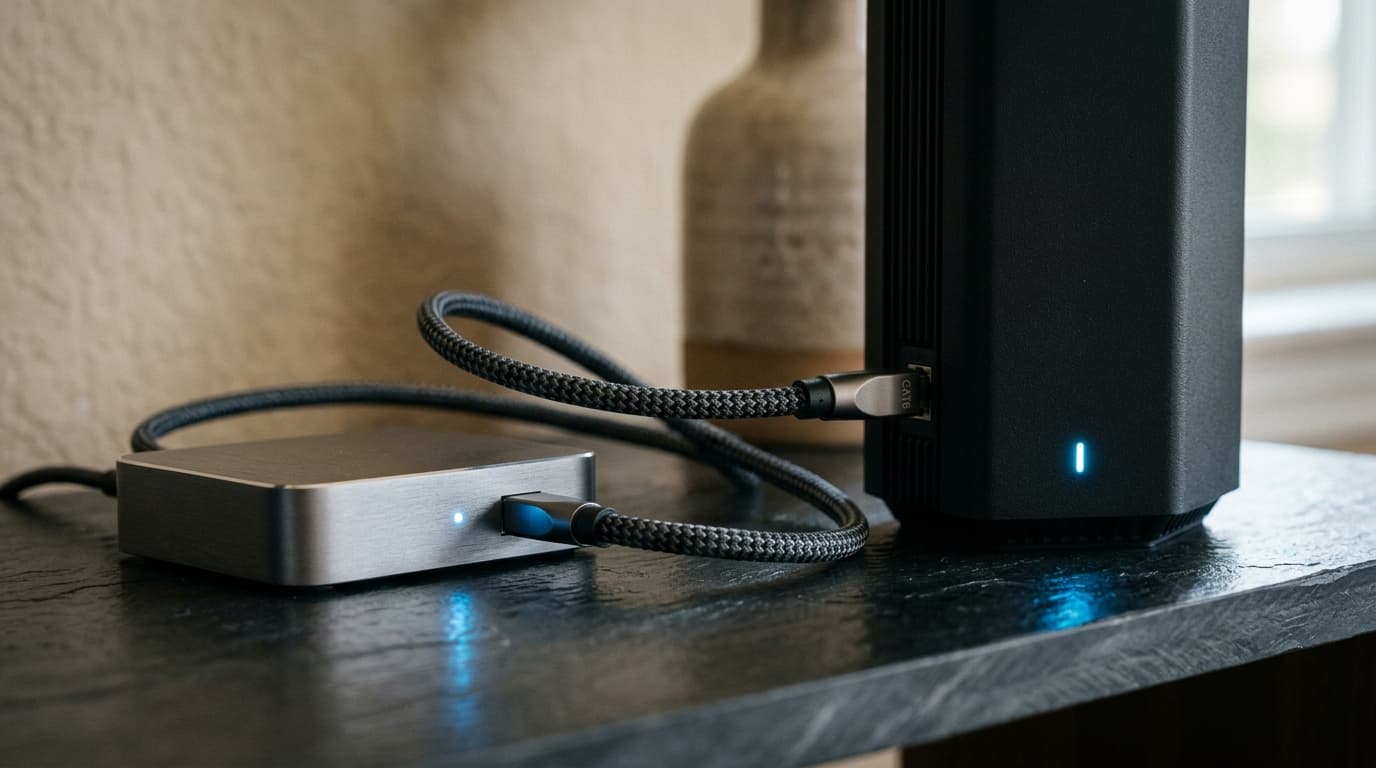
- Whenever possible, connect your streaming box directly via hardwired Ethernet. A physical cable delivers rock-solid ping times and eliminates wireless packet loss.
- If you must use Wi-Fi, ensure your streaming device connects exclusively to your router's 5 GHz or 6 GHz (Wi-Fi 6/6E) band, and keep the line-of-sight between your streaming stick and router as unobstructed as possible.
Mitigating ISP Throttling and Traffic Shaping
Major Internet Service Providers (ISPs) employ deep packet inspection algorithms. During high-traffic sporting events, ISPs can detect continuous high-bandwidth video streams and deliberately throttle connection speeds to ease regional network strain, causing sudden buffering.
If your internet speed test shows 200 Mbps on your phone but your IPTV feed buffers constantly on your TV, your ISP may be throttling streaming packets. Testing your connection with a dependable virtual private network (VPN) that encrypts your traffic can verify whether routing issues or ISP throttling are behind the stutter.
Optimal Buffer Cache Configurations
Inside your player application's settings (such as TiviMate's Playback menu), adjust the stream buffer size:
- Default/None: Starts playback instantly, but vulnerable to micro-drops in wireless signal.
- Medium / Large (Recommended): Caches 3 to 5 seconds of broadcast video in device RAM before rendering. This completely absorbs minor network fluctuations and keeps playback buttery smooth.
8. Frequently Asked Questions About Finding the Best IPTV
What internet speed do I actually need for buffer-free 4K streaming?
For standard High Definition (HD 720p/1080p) streams, a stable internet connection of at least 15 to 25 Mbps is recommended. For high-bitrate 4K Ultra HD and 60 FPS sports broadcasts, you should aim for 35 to 50 Mbps of unthrottled bandwidth per active stream. More important than raw download speed is low connection latency and zero packet loss.
What is the difference between an M3U playlist link and an Xtream Codes API login?
An M3U link is a long web URL that downloads an entire static text playlist file to your device. An Xtream Codes API login uses a streamlined combination of a Server URL, Username, and Password to query channel categories dynamically. Xtream Codes loads substantially faster, conserves device memory, and syncs TV guides (EPG) with greater reliability.
Why do some sports channels freeze specifically during big games?
During major sporting events like the Super Bowl or Champions League, hundreds of thousands of viewers connect simultaneously. Budget providers that rely on under-provisioned, single-server infrastructure suffer from severe bandwidth saturation. Top providers use distributed edge CDNs and dynamic load-balancing clusters to reroute traffic automatically and maintain uninterrupted streams.
Can I use one IPTV subscription on multiple screens at the same time?
Standard subscriptions include one active device connection at a time. If you require simultaneous streaming across multiple TVs or mobile devices in your household, choose a multi-connection plan (such as 2 or 3 active screens) so each device can stream independently without causing connection dropouts.
Do I need to buy a dedicated Android box, or will my Firestick work?
An Amazon Fire TV Stick 4K or Fire TV 4K Max works brilliantly for the vast majority of viewers. You do not need an expensive setup unless you are an enthusiast seeking gigabit Ethernet, advanced AI upscaling, and high-end audio pass-through, in which case an Nvidia Shield TV Pro or Apple TV 4K is the gold standard.
Making Your Decision: The Path to Stable Live Entertainment
Finding the best IPTV service comes down to verifying genuine infrastructure over empty marketing claims:
- Prioritize providers that deliver true 50/60 FPS sports with high-bitrate HEVC encoding.
- Ensure you receive Xtream Codes API credentials for native compatibility with industry-leading players like TiviMate and IPTV Smarters Pro.
- Test your service during peak weekend viewing hours to confirm real-world server stability and anti-freeze reliability.
- Select a flexible duration plan that offers transparent pricing, responsive customer support, and multi-device expansion tailored to your household.
Ready to experience uncompromised live streaming across all your devices? Explore nobiptv subscription plans with transparent multi-device tiers, anti-freeze edge CDN servers, and instant activation assistance.
Ready to Experience the Best IPTV Streaming?
Join thousands of cord-cutters streaming 25,000+ live HD/4K channels and sports events with nobiptv anti-freeze servers.