How to Fix Buffering on IPTV: Complete Diagnostic & Solution Guide
Few things are more frustrating than settling in to watch a live football match, combat sports event, or primetime broadcast only to be interrupted by a stuttering picture, looping audio, or a spinning buffering wheel.
When you experience buffering on iptv, the knee-jerk reaction is often to blame your home internet speed. Yet users with 500 Mbps or 1 Gbps fiber connections still face sudden stream freezes. Live TV operates on a real-time continuous packet stream—if packets drop or get throttled by your ISP, playback stalls immediately.
Instant Diagnostic Triage: Identify Your Bottleneck
| Symptom | Likely Root Cause | Immediate Fix |
|---|---|---|
| Buffers during live sports only | ISP Throttling / Server Rush | Connect VPN / Use HLS |
| Buffers on all channels all day | Local Wi-Fi Jitter / Packet Drop | Switch to 5GHz or Ethernet |
| Video freezes, audio continues | Hardware Decoder Crash | Switch HW to SW (VLC) |
| Stream loops 10 seconds back | Buffer Underrun / Drop | Set Buffer to 3–5 seconds |
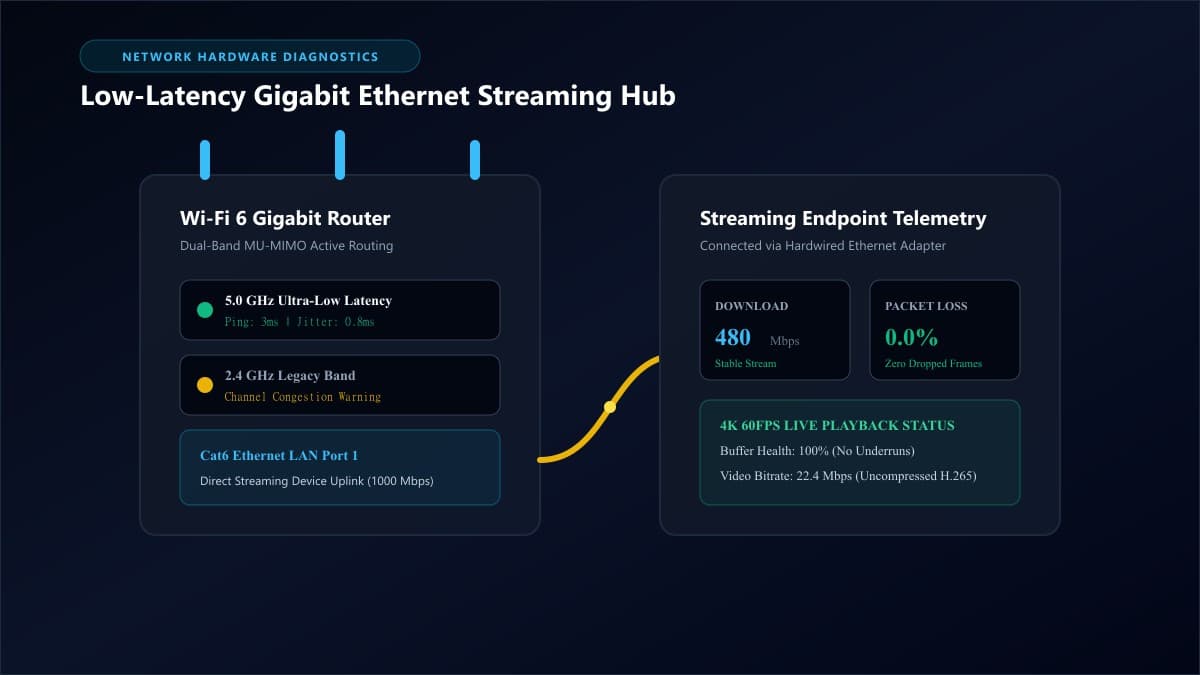
What Causes Buffering on IPTV? The 4 Core Bottlenecks
Every live video frame travels through four distinct stages: the provider's broadcast satellite uplink, public internet routing (managed by your ISP), your home wireless router, and your streaming device's media processor. A breakdown at any single stage causes playback to stall.
1. ISP Throttling & DPI
ISPs inspect unencrypted transport streams using Deep Packet Inspection. During high-traffic sporting events, they cap bandwidth on media ports to manage network congestion, causing continuous buffer underruns.
2. Packet Loss & Wi-Fi Jitter
Raw download speed does not guarantee stability. If your local 2.4 GHz Wi-Fi drops 1% of video packets or has high latency jitter, real-time live frames are permanently lost, causing immediate video stutter.
3. Device RAM Congestion
Compact streaming sticks (Firestick, Android TV) run low on system RAM when background applications and bloated channel databases accumulate, starving the hardware video decoder.
4. Oversold Provider Servers
Inexpensive IPTV reseller panels operate on single virtual servers without Anycast multi-CDN load balancing. When thousands tune in simultaneously, the server drops viewer connections.
Step 1: Rule Out Local Network Bottlenecks (Bandwidth vs. Jitter)
Before adjusting player settings, verify your network foundation. For live broadcasts, packet jitter and packet loss matter infinitely more than advertised gigabit download speeds.
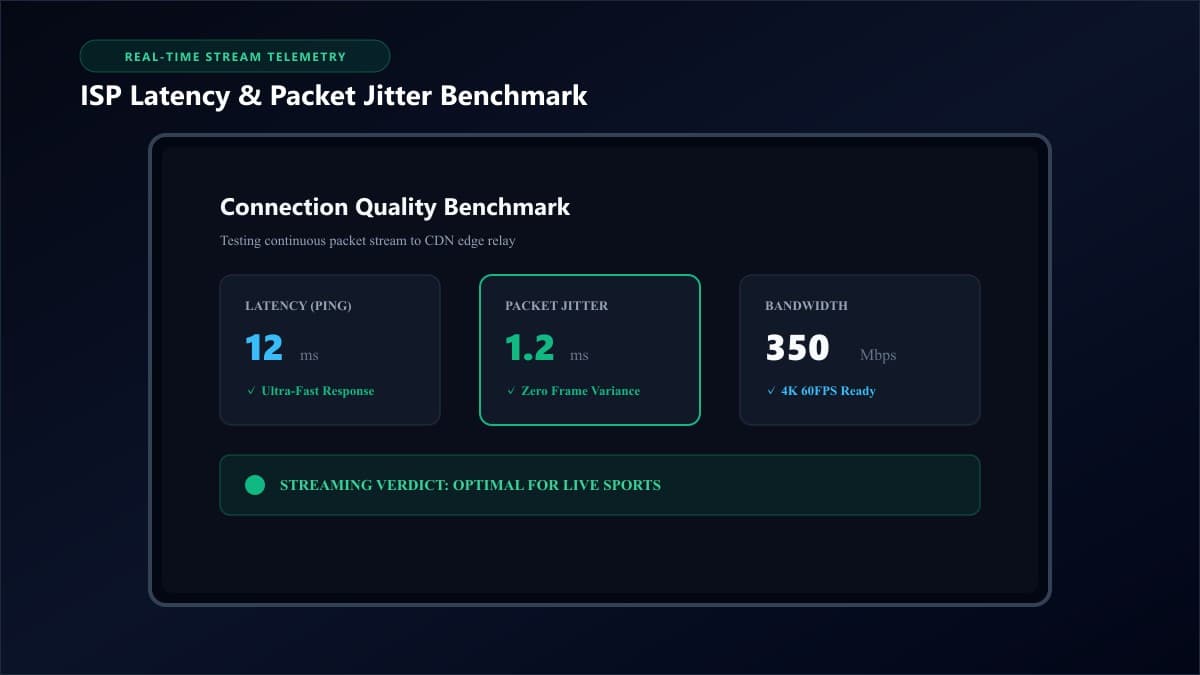
Network Benchmark Targets for Buffer-Free 4K IPTV
- • Latency (Ping): Below 30ms (over 70ms creates connection drift).
- • Packet Jitter: Under 5ms (over 15ms triggers frequent re-buffering).
- • Packet Loss: Strictly 0.0% (even 1% packet loss causes live stream stutter).
- • Connection Type: Connect exclusively via 5 GHz Wi-Fi or a dedicated hardwired Cat6 Ethernet adapter.
Step 2: Bypass ISP Throttling and Regional CDN Blocks
If your speed test reports 300+ Mbps but IPTV freezes consistently during primetime sports broadcasts, your ISP is applying artificial rate limits to streaming ports.
Deploy WireGuard VPN & Public DNS Resolvers
A high-speed VPN encrypts your traffic with AES-256 or ChaCha20 encryption. Because the ISP cannot inspect packet headers, they cannot selectively throttle your media streams:
- • Select WireGuard Protocol: WireGuard delivers significantly higher throughput and lower latency than legacy OpenVPN.
- • Change DNS to Cloudflare: Set your primary DNS to
1.1.1.1and secondary to1.0.0.1to prevent ISP transparent DNS proxy delays.
Step 3: Optimize Player Buffer Size and Rendering Engines
Modern IPTV players allow you to allocate RAM buffer headroom to absorb micro-interruptions in data transmission.
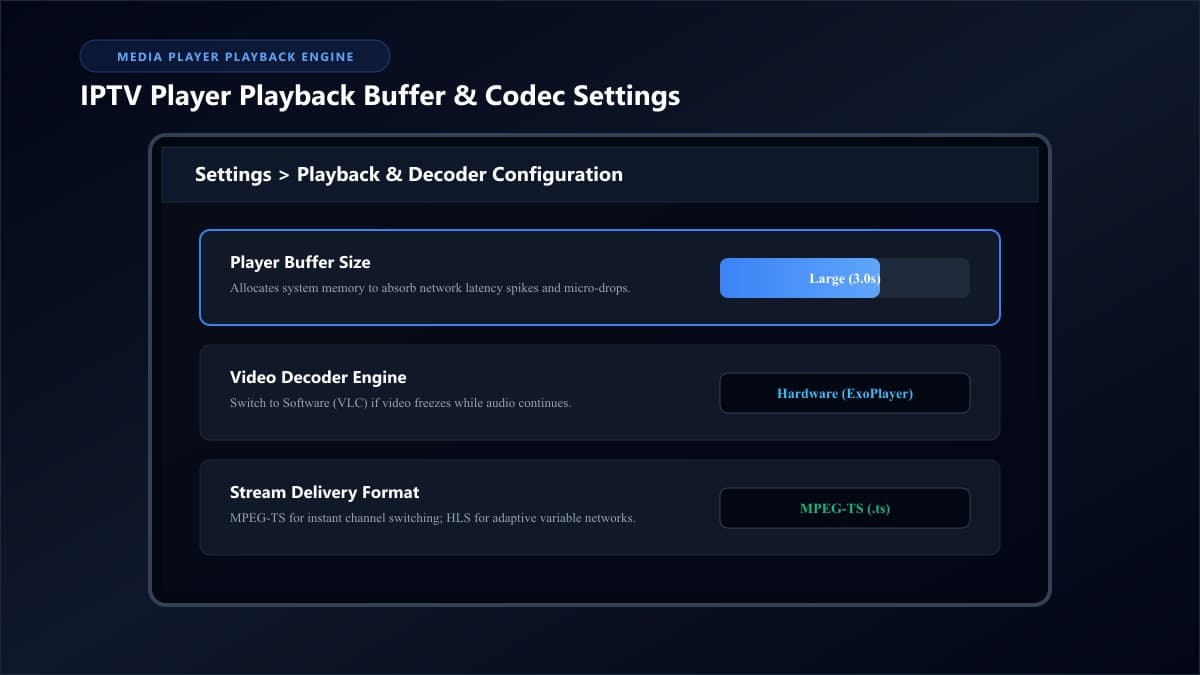
Adjust Buffer Size to 3.0 Seconds
Setting your buffer to "None" provides fast channel switching but zero tolerance for packet hiccups. Increase the buffer setting in TiviMate or IPTV Smarters Pro to Medium (2.0s–3.0s) or Large (5.0s).
Toggle Hardware vs. Software Decoders
If a stream freezes video while audio keeps playing, the hardware GPU decoder is crashing on that codec. Switch that channel from Hardware (ExoPlayer) to Software (VLC Engine) to bypass the hardware crash.
Step 4: Clear Device RAM and Application Cache
Over weeks of channel switching, your device stores thousands of station logos and cached stream chunks. Perform a quick 3-minute maintenance cycle:
- Go to Settings > Applications > Manage Installed Applications.
- Select your IPTV app and choose Clear Cache (do not select Clear Data).
- Ensure your Firestick or Android box has at least 1.5 GB of free flash storage for video swap space.
- Perform a true power-cycle restart by unplugging the device power cable for 30 seconds.
Step 5: Test Across Multiple Media Players
Occasionally, buffering is isolated to an application-level rendering bug. If you use IPTV Smarters Pro, you can quickly test your credentials in an alternative player using our verified Downloader code for IPTV Smarters Pro or compare options in our guide to the best IPTV players.
Frequently Asked Questions About IPTV Buffering
Why does IPTV only buffer during live sports events?
Major sporting events create massive viewer traffic. Budget providers with single-server architecture run out of connection sockets, while ISPs actively monitor match-day data spikes and throttle unencrypted streaming packets.
How much internet speed is actually required for buffer-free 4K IPTV?
A steady 25 Mbps to 30 Mbps is plenty for 4K video. What matters far more is low jitter (under 5ms) and zero packet loss. Check our comprehensive guide on internet speed requirements for streaming.
Does a VPN always stop IPTV buffering?
A VPN only stops buffering when the cause is ISP throttling or DNS filtering. If your buffering stems from weak Wi-Fi or an overloaded provider server, a VPN will not resolve the issue.
What is the ideal buffer size setting in IPTV Smarters Pro or TiviMate?
For most home networks, 2 to 3 seconds is the sweet spot. It provides enough time to bridge small network dropouts without adding noticeable channel-change delay.
Upgrade to Anti-Freeze Infrastructure That Eliminates Buffering
Troubleshooting local network bottlenecks helps, but if your provider relies on oversold servers and cheap bandwidth, freezing will persist. Experience true buffer-free streaming with dedicated multi-CDN Anycast routing.
Ready to Experience nobiptv?
Join thousands of satisfied viewers. Get the best IPTV services with our premium IPTV subscriptions, instant activation, and 24/7 dedicated support.