Working Downloader Code for IPTV Smarters Pro (2026 Quick Guide)
If you are setting up an Amazon Fire TV Stick, Fire TV Cube, or Android TV box, typing long web addresses with an on-screen remote keyboard is slow and prone to typographical errors. The Downloader application solves this with a numeric shortcode system that redirects a 5-to-6-digit number straight to an APK download server.
If you are looking for the official, verified downloader code for iptv smarters pro, use the active numeric shortcodes below to start your installation immediately.
Verified Downloader Codes for IPTV Smarters Pro
| Code / URL | Type | Destination Build | Status |
|---|---|---|---|
| 250931 | Primary Code | IPTV Smarters Pro APK (TV Leanback) | Verified Active |
| 78522 | Secondary Mirror | TROYPOINT Clean Mirror | Verified Active |
| 80911 | Backup Mirror | Smarters Clean Android Build | Verified Active |
| firesticktricks.com/smarter | Direct URL Fallback | Direct High-Speed CDN Host | Verified Active |
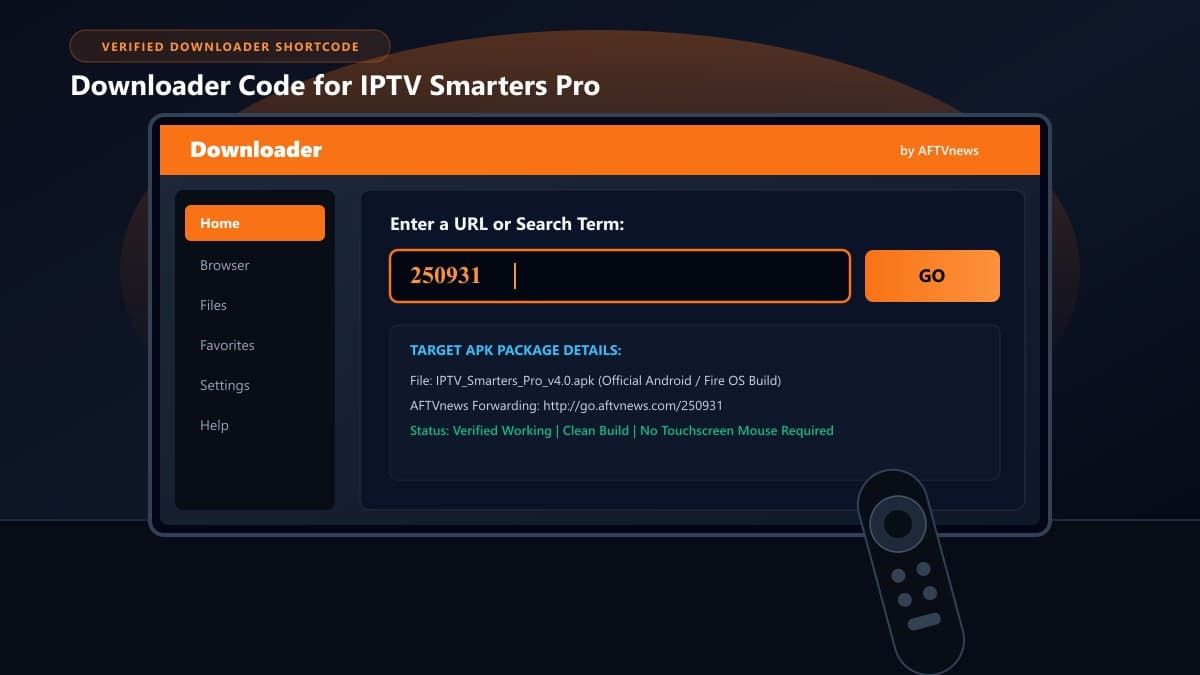
Verified Downloader Codes for IPTV Smarters Pro
The primary numeric downloader code for iptv smarters pro is 250931. Entering this code into Downloader's URL box directs your Fire TV device through the AFTVnews link forwarder and immediately initiates the transfer of the latest stable IPTV Smarters Pro APK build (Version 4.0+ for Fire OS and Android TV).
Primary Shortcode: 250931
- Target File: IPTV_Smarters_Pro.apk
- Compatibility: Fire OS 7, 8 & Android TV
- Interface: Built-in 16:9 remote control leanback UI
- Behavior: Direct 5-second automatic redirect
Direct URL Fallback
If your internet service provider (ISP) blocks shortcode resolution servers or if Downloader returns a connection handshake timeout, bypass the numeric forwarder by typing the direct mirror address:
How Downloader Numeric Codes Actually Work
Downloader was developed by Elias Saba of AFTVnews. Because Amazon Fire TV remotes lack physical keyboards, Saba created a lightweight backend forwarding service hosted at go.aftvnews.com.
When you type a number such as 250931 into Downloader:
- The app appends your digits to the AFTVnews resolver:
http://go.aftvnews.com/250931. - A lightweight redirect server looks up the numeric identifier in its routing database.
- The server responds with an HTTP 301/302 redirect header pointing directly to the external host where the IPTV Smarters Pro APK is stored.
- Downloader displays a 5-second countdown timer on screen, giving you a chance to see the target destination URL.
- Once the countdown reaches zero, Downloader retrieves the file and saves it to your Firestick's temporary download cache (
/sdcard/Downloader/).
Prerequisites: Preparing Firestick Before Entering the Code
Entering a Downloader code will fail to trigger the installer if Fire OS has not authorized Downloader to execute package installations. Amazon hides these permissions by default on newer operating systems.
The 7-Click Developer Options Protocol (Fire OS 7 & Fire OS 8)
If you are using a Fire TV Stick 4K, 4K Max, or Fire TV Cube running recent firmware updates, Developer Options is hidden by default:
- Go to Settings (gear icon on the far right of the Firestick home screen).
- Select My Fire TV > About.
- Highlight your device name (e.g., Fire TV Stick 4K Max).
- Press the Select button (center round button) on your remote control 7 times continuously.
- Stop when the on-screen alert says: "No need, you are already a developer."
- Press the Back button once to return to the My Fire TV menu. Developer Options will now be visible.
- Enter Developer Options > Install unknown apps > toggle Downloader to ON.
Step-by-Step: How to Enter the Code in Downloader
Once permissions are active, installing the application takes under two minutes:
1. Open Downloader and Access the URL Field
Launch the Downloader app from your home screen or apps list. Ensure you are on the Home tab in the left-hand navigation sidebar.
2. Input Shortcode 250931
Click the center button on your remote to open the virtual keyboard in the text box labeled "Enter a URL or Search Term". Type 250931 and select Go.
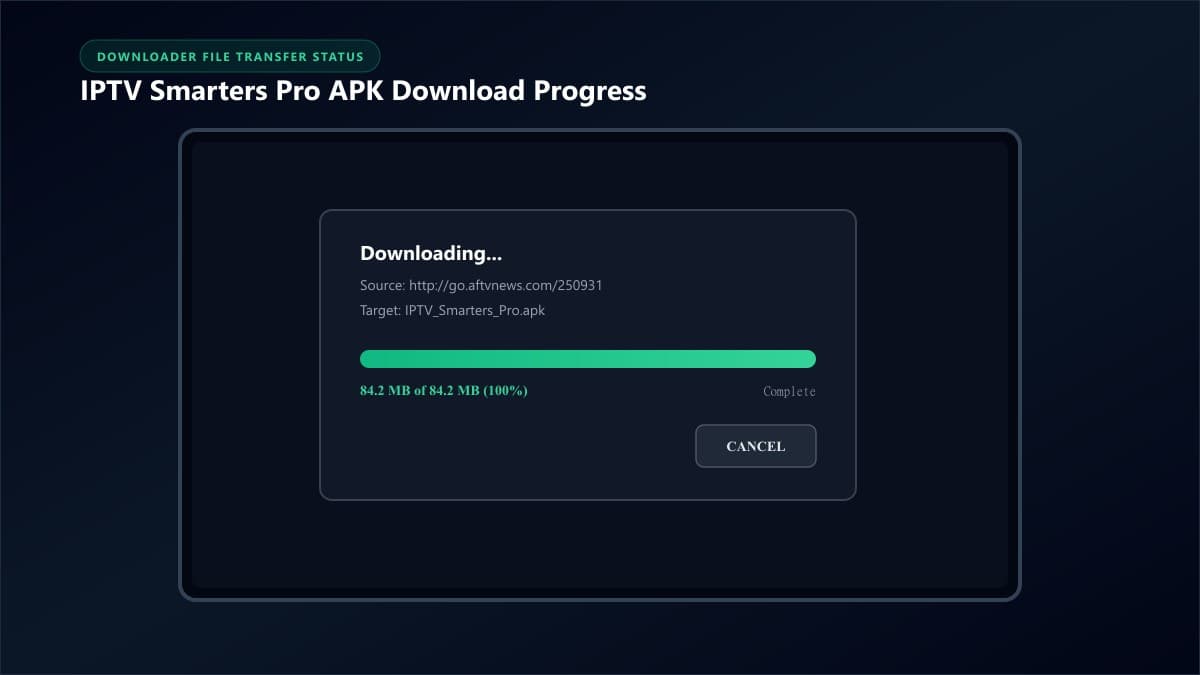
3. Run the Package Installer
When the download finishes, Fire OS automatically presents the system installation screen. Navigate down to the lower right corner and click Install.
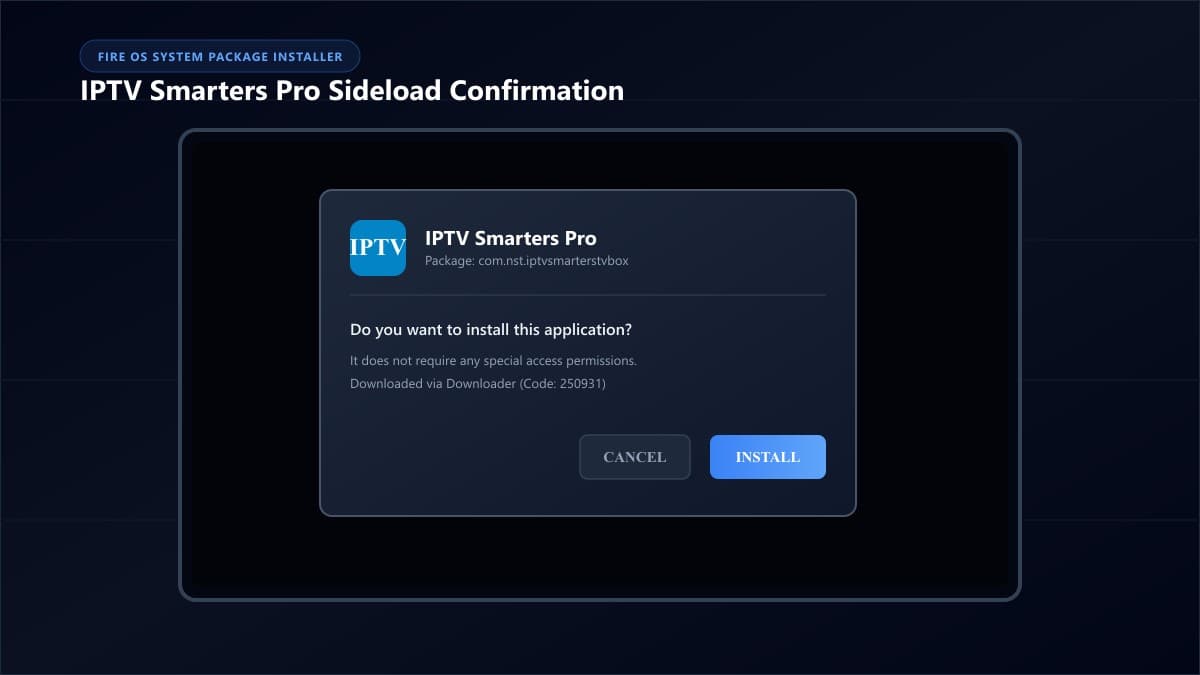
4. Delete the Installation Package (Save Storage)
When the installation completes, click Done (do not click Open yet). Downloader will display a prompt asking whether you want to delete the APK file. Select Delete, then confirm Delete again. Leaving the APK file consumes roughly 90MB of your Firestick's limited internal storage.
What to Do After Installing IPTV Smarters Pro
Now that the software is loaded onto your device, exit Downloader by pressing the Home button on your remote. For detailed interface configuration, refer to our comprehensive tutorial on how to download IPTV Smarters on Firestick.
Select TV Mode & Connect via Xtream Codes API
When you launch the app, always select TV (not Mobile) so your Firestick directional pad navigates cleanly. Then choose Login with Xtream Codes API:
- • Any Name: Enter an account identifier (e.g., Living Room Fire TV).
- • Username: Enter your subscriber username.
- • Password: Enter your subscriber password.
- • Server URL: Enter your server host and port (e.g.,
http://service.net:8080).
Troubleshooting Downloader Code Errors on Fire TV
| Error Message | Root Cause | Exact Fix |
|---|---|---|
| Status Code 403 / Forbidden | CDN blocking VPN or datacenter IP ranges. | Temporarily disable your VPN during APK download, then re-enable after setup. |
| Invalid URL / Page Not Found | Typo in digits or expired forwarder. | Re-verify code 250931 or type the direct fallback URL: firesticktricks.com/smarter. |
| Parse Error | Corrupt download or insufficient storage. | Clear Firestick cache, ensure 500MB free storage, and re-download. |
| Failed to Authorize | Credential typo or server block. | Review our dedicated how to fix IPTV Smarters authorization failed errors guide. |
Alternative IPTV Players with Downloader Codes
If you want to evaluate alternative applications alongside IPTV Smarters Pro, use these verified Downloader shortcodes to install them on your Fire TV:
Industry-standard premium UI & EPG grid
Modern layout with dual built-in ExoPlayer
Customizable multi-view & cloud sync
Explore our comprehensive reviews of the best IPTV apps for Firestick and the best IPTV players.
Frequently Asked Questions About IPTV Smarters Downloader Codes
Is using a Downloader shortcode safe?
Yes, provided you use verified codes from reputable sources. A Downloader shortcode is simply an automated shortcut to a web link. The codes provided in this guide point to clean, unmodified APK packages identical to original developer releases.
Why is my Downloader code redirecting to an ad page?
Some free public shortcodes use intermediate ad-supported URL shorteners. The verified codes listed here (250931, 78522) utilize clean AFTVnews forwarders that bypass third-party advertising layers and start downloading immediately after a 5-second system countdown.
Do Downloader codes expire?
Yes. Shortcodes rely on active web hosting. If a website changes its file path or a host server goes offline, the numeric code linked to that address stops working. We routinely test and verify the codes in this guide to ensure they link to active, working mirrors.
Can I use these Downloader codes on Android TV or Google TV?
Yes. If your Android TV, Nvidia Shield, or Chromecast with Google TV has the Downloader app installed from the Google Play Store, these exact same numeric codes work identically across all Android-powered television platforms.
Pair Your New Player with a High-Speed Streaming Server
Installing IPTV Smarters Pro with a fast Downloader code takes only a few minutes. However, your streaming quality—channel load speeds, high-definition sports stability, and catch-up responsiveness—depends entirely on the server supplying your streams.
Ready to Experience nobiptv?
Join thousands of satisfied viewers. Get the best IPTV services with our premium IPTV subscriptions, instant activation, and 24/7 dedicated support.