Failed to Authorize IPTV Smarters: Advanced Troubleshooting & Device Fixes
Encountering an unexpected error when attempting to connect your streaming device to your favorite television lineup can bring your evening entertainment to a sudden halt. When your screen displays failed to authorize iptv smarters, it indicates that the handshake between the IPTV Smarters application on your streaming hardware and your provider's backend database has failed.
30-Second Recovery Checklist for "Failed to Authorize IPTV Smarters"
- Syntax Check: Remove any trailing "/" from the Server URL (use
:8080, not:8080/). - Virtual Remote Space: Delete any invisible auto-complete space after username and password strings.
- Protocol Alignment: Verify whether your provider specifies
http://orhttps://. - DNS Override: Set custom DNS to
1.1.1.1(Cloudflare) or8.8.8.8(Google) to bypass ISP filtering. - Desktop Test: Test credentials directly in a browser or VLC on a PC/phone to confirm line status.
Decoding the Handshake: Why IPTV Smarters Rejects Authorization
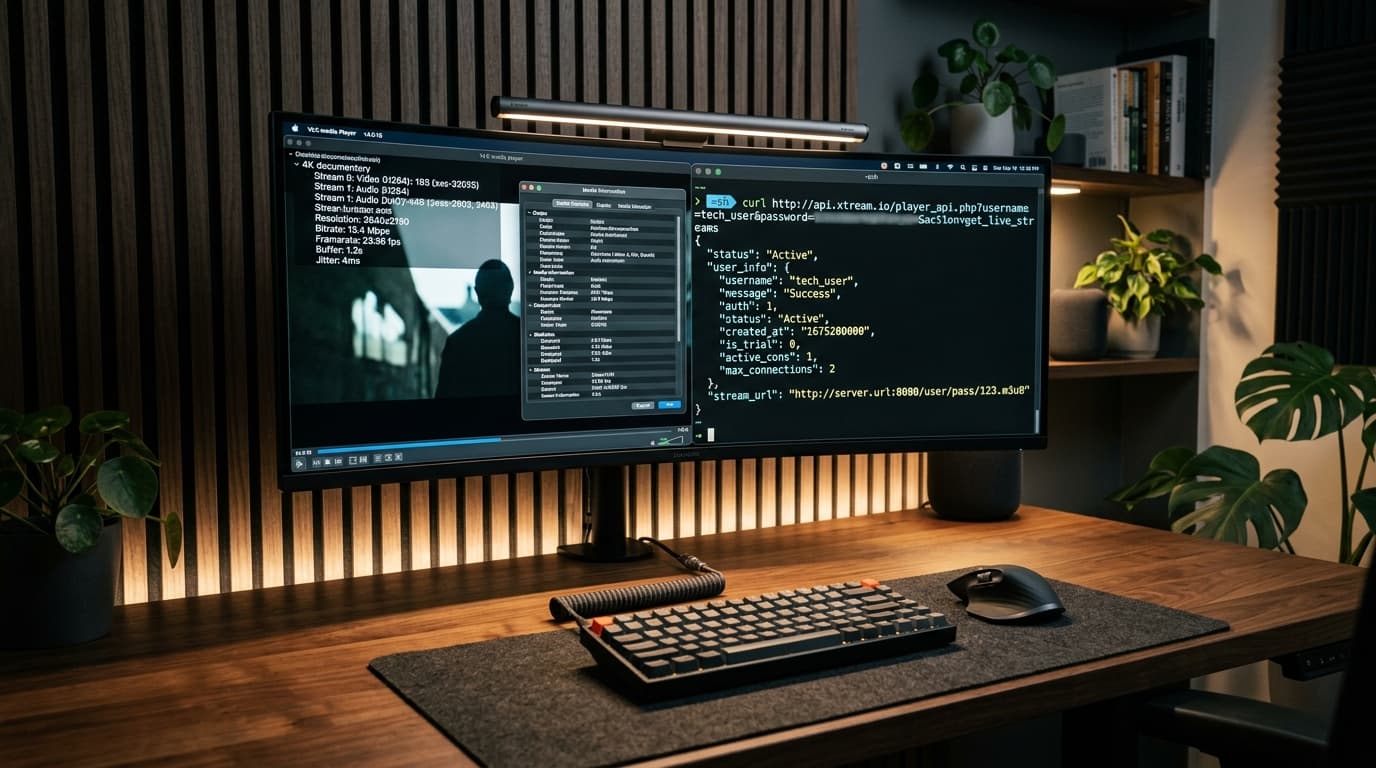
To effectively troubleshoot why you failed to authorize iptv smarters, you must inspect the data transaction that occurs when you submit your credentials. IPTV Smarters Pro functions as a client middleware application. When you click Login with Xtream Codes API, the app constructs a standardized HTTP GET query:
The remote web server evaluates the query and returns a status payload. If the handshake is interrupted, specific error response codes indicate the exact cause:
| Error Status Code | Network Symptom | Root Cause |
|---|---|---|
| HTTP 401 Unauthorized | Instant rejection (<500ms) | Case-sensitive password typo or expired billing cycle |
| HTTP 403 Forbidden | Instant rejection | IP lock restriction or concurrent connection limit exceeded |
| HTTP 404 Not Found | Instant rejection | Trailing slash glitch creating //player_api.php |
| HTTP 502 / 504 Gateway Error | 10–30s loading loop | Provider database crash or Cloudflare origin timeout |
| TCP RST / Socket Timeout | 20–45s infinite load | Broadband ISP firewall or deep packet inspection packet drop |
For a broader overview of server-side clustering, read our companion root-cause diagnostic triage for IPTV Smarters errors.
The PC / Mac Isolation Test: Verify Your Line in 2 Minutes
Before changing settings on your TV, verify whether your line is functioning using a computer or phone. This immediately determines whether the failure is local to your television app or on the provider's server:
1. Browser API Query Test
Paste your API endpoint directly into Chrome or Safari:
If the browser outputs a JSON response with "status": "Active", your line is valid and the issue is restricted to your TV configuration.
2. VLC Media Player Stream Test
Open VLC on desktop, press Ctrl + N, and paste your direct live stream link:
If the video feed streams smoothly, your provider's broadcast nodes are active, isolating the fault to your device's app settings.
Device-by-Device Walkthroughs: Resolving Authorization Failures
1Amazon Fire TV Stick (Fire OS 6, 7 & 8)
Firestick devices frequently cause authentication failures due to virtual keyboard predictive spaces and ISP-level DNS filtering.
- Delete Trailing Space: Fire OS virtual keyboards insert an invisible trailing space after autocompleted text. Manually backspace after your password.
- Configure Static DNS: Go to Settings > Network > Forget Network > Reconnect > Advanced. Keep IP and Gateway, and set DNS 1 to 1.1.1.1 and DNS 2 to 8.8.8.8.
For detailed installation steps, follow our Firestick IPTV installation and sideloading walkthrough.
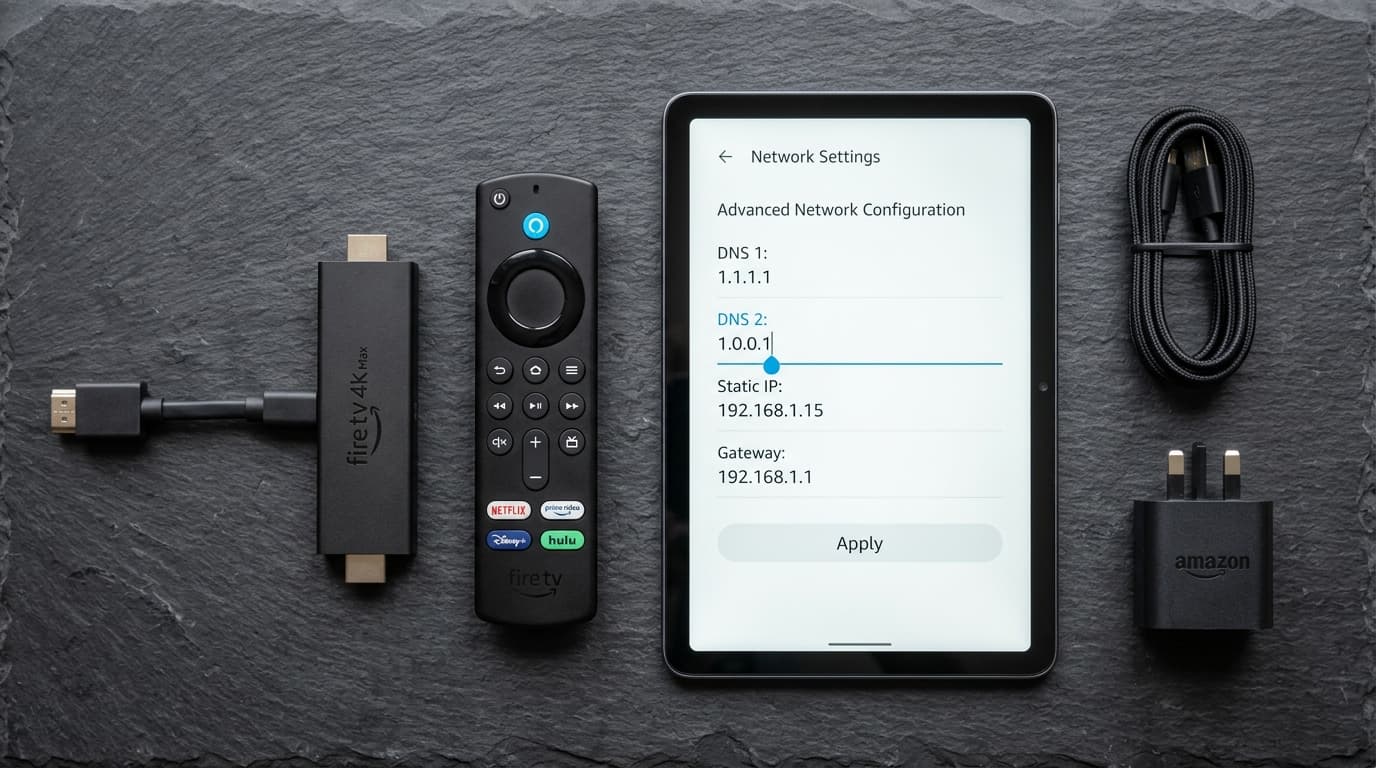
Configuring custom DNS servers (1.1.1.1 or 8.8.8.8) on Fire OS bypasses broadband provider domain blocks.
2Samsung Smart TVs (Tizen) & LG Smart TVs (webOS)
Samsung and LG television operating systems strictly sandbox network sockets. Many firmware versions block unencrypted high-number HTTP ports (like :8080) that lack an SSL certificate.
- Request SSL Port: Ask your provider for a secure port 443 HTTPS URL to satisfy Tizen/webOS security policies.
- Manual DNS Setting: Set manual DNS on Samsung (Settings > Network > IP Settings > DNS: 8.8.8.8) or LG (Network > Advanced Wi-Fi > DNS: 8.8.8.8).
Review complete configuration steps in our Samsung Tizen and LG webOS setup guide.
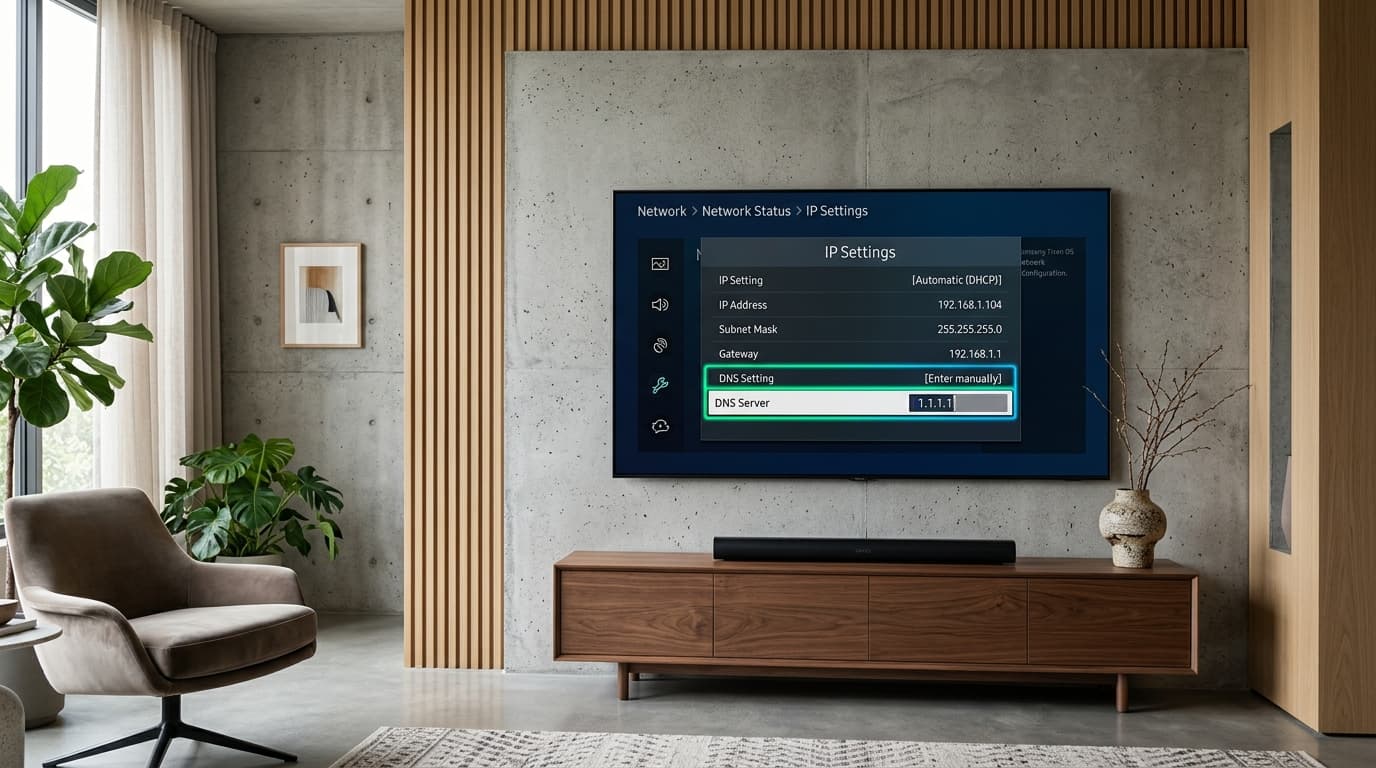
Adjusting DNS server settings in Samsung Tizen or LG webOS resolves restricted port sandboxing for IPTV Smarters.
3Android TV, Google TV & Windows/Mac Desktops
On Android TV and Google TV devices (such as Nvidia Shield or Chromecast), enable **Private DNS (DoT)** under Settings > Network & Internet > Private DNS and enter 1dot1dot1dot1.cloudflare-dns.com. This encrypts DNS queries system-wide.
On Windows desktops, ensure Windows Defender Firewall is not blocking inbound sockets on port 8080 for IPTV Smarters Pro.
4 Common Configuration Mistakes to Eliminate
1. Trailing Forward Slash (/)
Ending your server link with "/" creates an invalid double-slash API request (//player_api.php) returning an HTTP 404 error.
2. HTTP vs. HTTPS Mismatch
Entering https:// when the provider only supports unencrypted http:// (or vice versa) triggers instant SSL handshake exceptions.
3. Simultaneous Connection Exceeded
Active streams running on another room's TV or mobile device reject new logins. Explore our multi-connection IPTV subscription packages.
4. MAC-Bound Stalker Line
Lines provisioned for MAG boxes require MAC hardware authentication and reject Xtream Codes API username/password logins.
When to Switch: Identifying Dead Servers & Unreliable Providers
If your credentials fail the PC browser isolation test and remain unreachable over cellular data, the provider's server infrastructure is offline. Budget resellers operating on overloaded single-VPS nodes collapse under peak match traffic, leaving customers stranded without assistance.
Upgrade to an enterprise streaming service engineered with automated load-balancing, direct teleport master feeds, and true 60FPS sports. Learn more about our anti-freeze server clusters with 99.9% uptime and explore our flexible multi-connection IPTV subscription packages.
Frequently Asked Questions (FAQ)
Why does it say "failed to authorize iptv smarters" after working for months?
The most common reasons are subscription expiration, your home broadband ISP activating new automated DNS filters against the provider's hostname, or a server migration. Test your API URL in a web browser to determine if the line remains active.
What is the difference between "Failed to Authorize" and "Authorization Failed for Above Host"?
"Failed to Authorize" means the server was reached, but your login credentials were rejected. "Authorization Failed for Above Host" indicates a network routing failure—the application could not reach the server IP due to a bad port, trailing slash bug, or DNS block.
Which alternative players should I try if IPTV Smarters refuses to work?
For Firestick and Android TV, **TiviMate** is the industry standard. Review our ranking of the top-rated IPTV player alternatives or learn how to connect TiviMate with Xtream Codes API.
Ready to Experience nobiptv?
Join thousands of satisfied viewers. Get the best IPTV services with our premium IPTV subscriptions, instant activation, and 24/7 dedicated support.