IPTV Is Down? How to Diagnose, Fix, or Confirm a Server Outage
You turn on your television to catch a live match, the evening news, or your favorite weekend show, and nothing loads. Instead, you are greeted with a completely black screen, an endless spinning loader, or a blunt error message: "Cannot connect to server" or "Failed to load channels".
When iptv is down, your immediate instinct is to wonder whether the service is gone for good or if your home internet is malfunctioning. Before assuming the worst, follow this engineering-backed diagnostic sequence to isolate the exact bottleneck and restore your streams.
The 60-Second Cellular Isolation Test
Disconnect your smartphone from your home Wi-Fi and open your IPTV player over 4G LTE or 5G mobile data:
The server is 100% online. The issue is your home Wi-Fi, an ISP DNS block, or router firewall filter. (Fix: Switch DNS to 1.1.1.1 or turn on a VPN).
The problem is upstream: your account subscription is expired, or the provider's base server is undergoing maintenance.
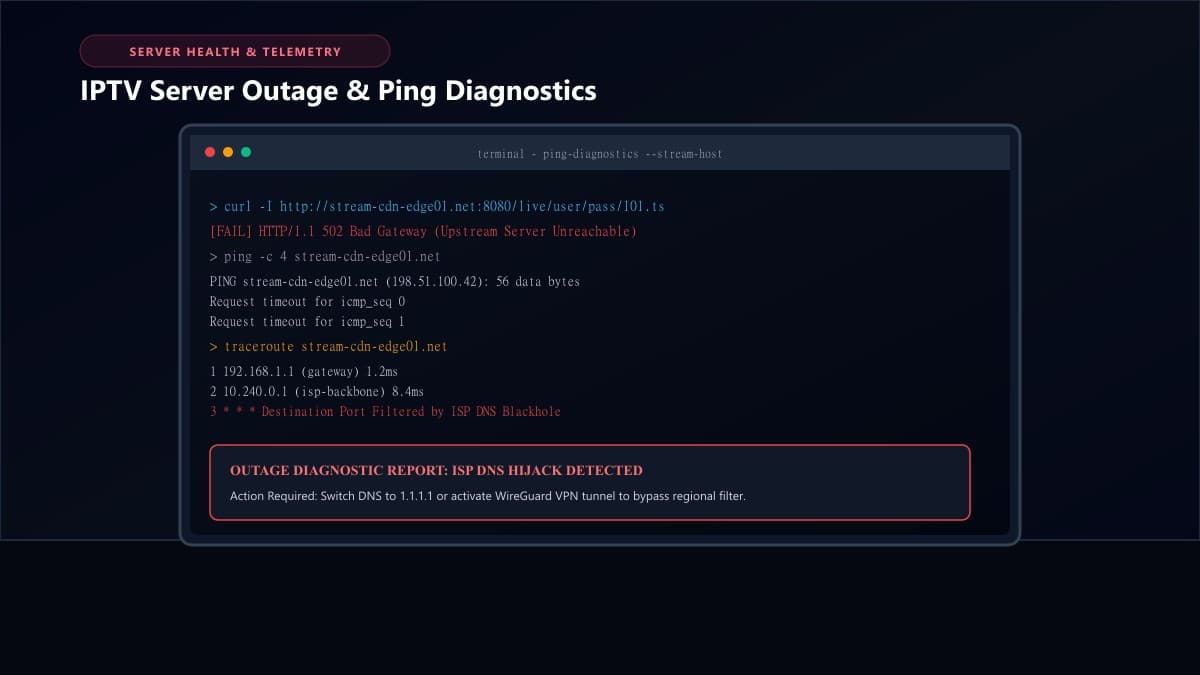
Step 1: The Quick Mobile Data Test (Is It Your Wi-Fi or the Provider?)
The fastest way to eliminate 90% of false alarms is bypassing your home ISP entirely. When an ISP implements automated stream blocking, they target the home residential connection. By testing on cellular data, you bypass your home router, local DNS, and residential IP restrictions in one step.
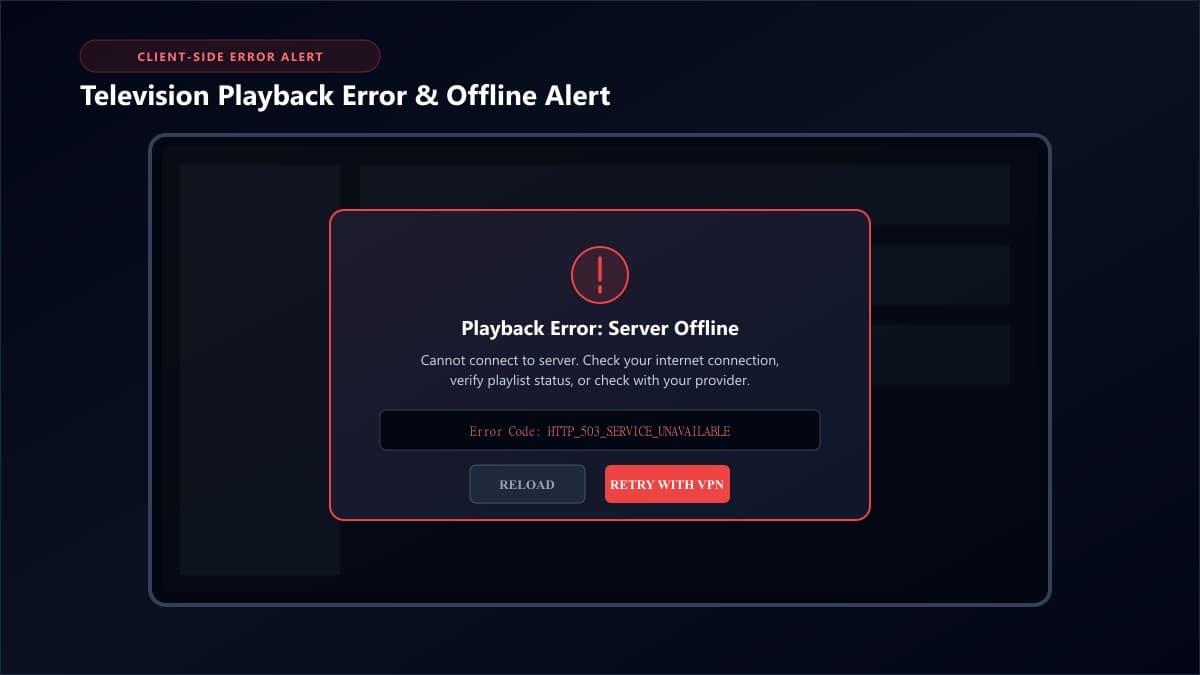
Step 2: Ping the IPTV Server Host in a Web Browser
If your service fails across both Wi-Fi and mobile data, verify whether the host server is reachable via standard HTTP protocols:
How to Test Your Server URL
Extract the base server URL from your Xtream Codes or M3U link (e.g., http://your-server-address.com:8080) and enter it directly into a browser address bar:
- • Loads Web UI or Blank 200 OK: The server is actively running. Your credentials or device settings are causing the failure.
- • ERR_NAME_NOT_RESOLVED: The domain has expired, been suspended, or the host records are corrupt.
- • Cloudflare 521 / 502 Bad Gateway: The server daemon has crashed or is currently restarting.
Step 3: Check for ISP-Level DNS Blocking and Firewall Filters
During major sporting events, ISPs in the US, UK, and Canada deploy automated DNS poisoning to prevent users from connecting to streaming servers.
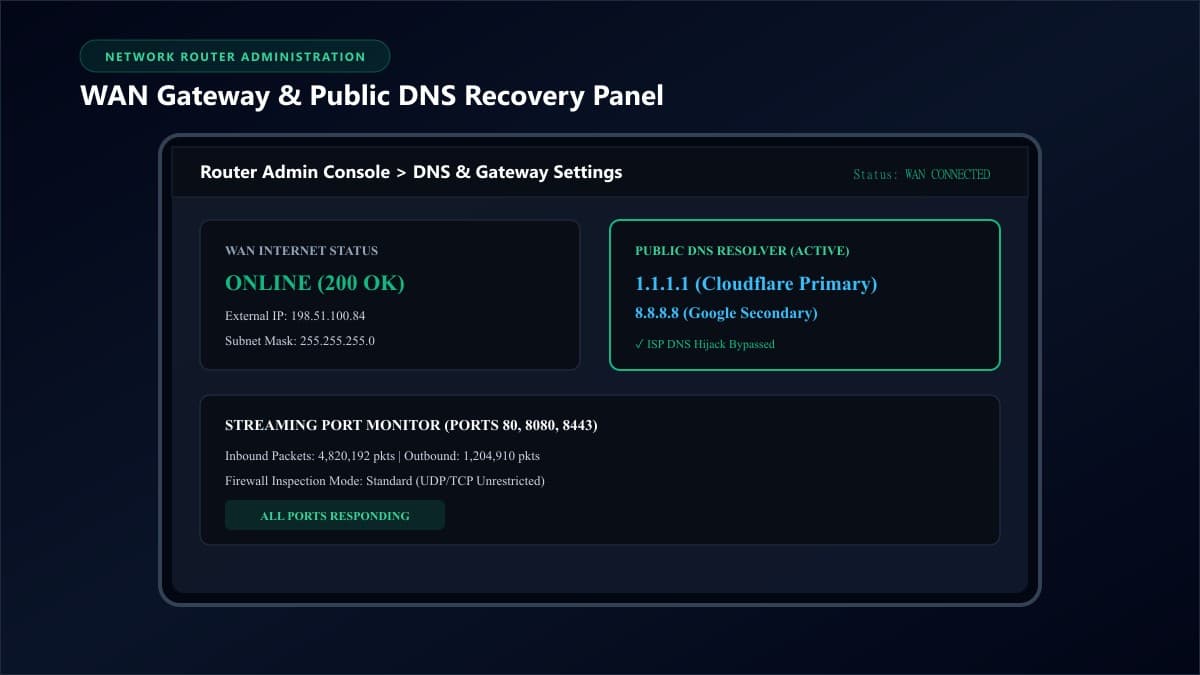
The DNS Flush & Replacement Sequence
Switch your router or streaming stick DNS away from your ISP's default servers:
- • Cloudflare Primary:
1.1.1.1| Secondary:1.0.0.1 - • Google Primary:
8.8.8.8| Secondary:8.8.4.4 - • Connect via WireGuard VPN: If DNS modification does not clear the block, launch a VPN to encrypt all packet headers against Deep Packet Inspection.
Step 4: Verify Account Status and Credential Synchronization
Many sudden blackouts turn out to be expired subscription dates or concurrent device lockouts. Most subscriptions allow only 1 active screen at a time. If an app was left playing on a secondary device, the server will reject new connections.
If your player repeatedly displays authorization failures, review our diagnostic guide on how to fix IPTV Smarters authorization failed errors.
Step 5: Clear Corrupted Playlist Cache and Force Reload
When providers update channel lineups, old cached EPG schedules and stream tokens on your device can trigger false "Server Offline" alerts.
- Go to Settings > Applications > Manage Installed Applications.
- Select your IPTV app and click Clear Cache, then select Force Stop.
- Power-cycle your Firestick or Android TV box by unplugging the power cable for 30 seconds.
- Relaunch the app and click Refresh Channels & EPG. If you need to re-download the player, use our verified Downloader code for IPTV Smarters Pro.
Step 6: What to Do If Your IPTV Provider Is Truly Down
If external ping tests fail across multiple networks, the provider's infrastructure is offline:
Scheduled server restart or transcoder reboot
Database migration to updated edge servers
Website dark, billing deleted, exit scam
If your service suffers from constant buffering and weekend dropouts, review our comprehensive guide on fixing buffering on IPTV.
Frequently Asked Questions About IPTV Outages
How long do IPTV server outages usually last?
Standard routine reboots typically take between 15 minutes and 2 hours. Server migrations can require up to 6 hours. Outages lasting over 48 hours without customer communication usually signal permanent service closure.
Why does my IPTV go down on weekends or during big games?
Large concurrent viewership surges overwhelm budget single-server providers. Simultaneously, ISPs actively monitor peak broadcast hours and throttle streaming ports unless protected by a VPN.
Can an IPTV provider block my IP address?
Yes. If your media player repeatedly submits failed login requests or aggressive automated EPG downloads, automated firewalls will ban your home IP address for 1 to 24 hours. A VPN instantly assigns a clean IP address to bypass the ban.
How do I know if my IPTV service was shut down permanently?
Warning signs include the website and billing dashboard returning DNS NXDOMAIN, Telegram support channels being deleted, and server hosts remaining unreachable for more than 72 hours.
Never Get Left in the Dark: Switch to 99.9% Uptime Multi-CDN Streaming
When IPTV goes down, the root issue is almost always relying on a budget provider hosted on a single fragile server. Experience broadcast-grade reliability with redundant Anycast edge relays.
Ready to Experience nobiptv?
Join thousands of satisfied viewers. Get the best IPTV services with our premium IPTV subscriptions, instant activation, and 24/7 dedicated support.