M3U vs Xtream Codes: Which IPTV Login Type Should You Use?
When you set up an IPTV subscription, your provider usually hands you either a long playlist link, a set of login details, or both. They look different but do the same job: tell your app where your channels are. Here is what separates them and how to pick the right one for your device.
Short answer
M3U is one playlist link that works in almost any player. Xtream Codes is a server address plus username and password that suits apps built for it. If your app supports both, Xtream login is often the smoother choice for daily use, and M3U is handy for quick tests. Use whichever your provider supplies and your app accepts.
What Is an M3U Playlist?
M3U is a plain-text playlist format. Each entry points to a media location, and the extended version adds lines with details such as the channel name. You can read how the format works in the M3U article on Wikipedia. In IPTV, your provider gives you a link to a playlist, and your player reads it to build a channel list.
Because it is a simple, widely supported format, an M3U link works in many players, including VLC. See how to play IPTV in VLC for an example.
What Are Xtream Codes?
Xtream Codes details are a server address, a username and a password. Instead of loading a file, the app signs in to your provider's server and requests your channels, categories and, usually, guide data directly. The app must have Xtream support built in, which most dedicated IPTV players do.
M3U vs Xtream Codes: Side by Side
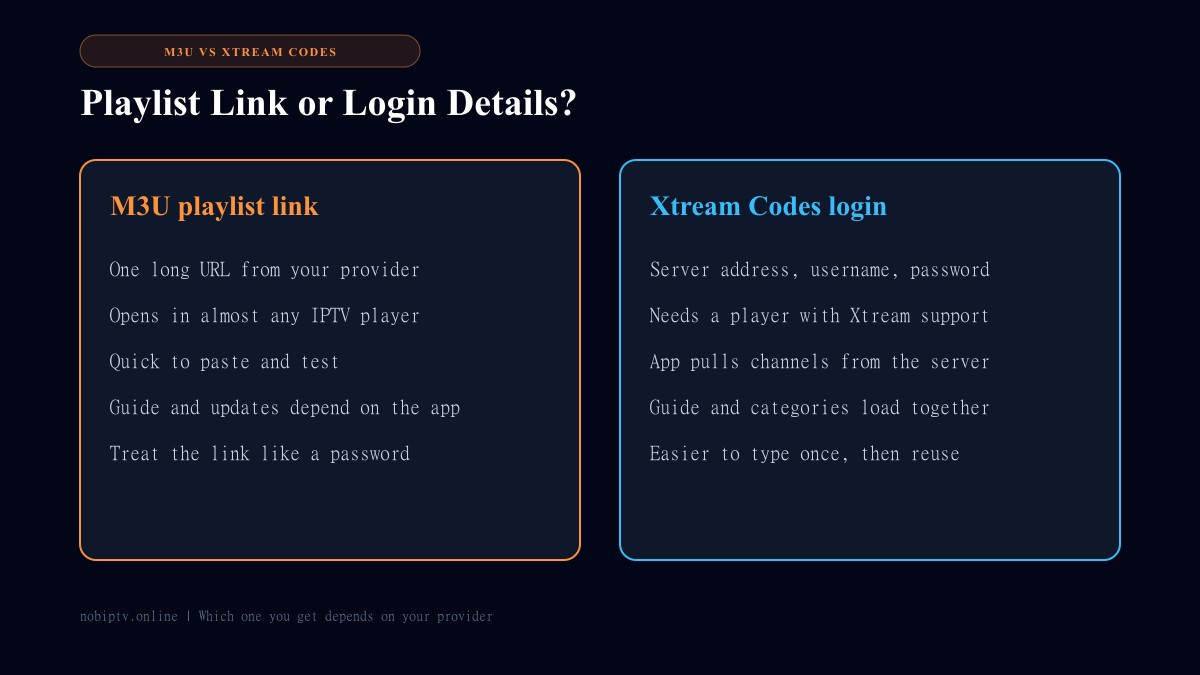
M3U link
- • One address to paste
- • Works in the widest range of players
- • Good for quick tests and simple players
- • Guide and updates depend on the app and on how the playlist is set up
- • Often contains account details, so keep it private
Xtream Codes login
- • Three fields: server, username, password
- • Needs an app with Xtream support
- • App loads channels from the server itself
- • Channel categories and guide usually load together
- • Easier to re-enter on a new device than a long link
Exact behavior varies by player and by provider, so treat this as a general guide rather than a rule.
Which One Should You Choose?
Use M3U if you are testing a link, using VLC or a simple player, or your app has no Xtream option.
Use Xtream Codes if your player supports it and you want one login that loads channels and categories together for everyday viewing.
Not sure? Try Xtream first if the app offers it. If it will not connect, fall back to the M3U link. If sign-in errors appear, see failed to authorize in IPTV Smarters.
Keep Your Details Private
Both an M3U link and an Xtream login can give someone access to your subscription. Do not post either in public groups or screenshots. Be wary of apps or websites that promise free "codes", since credentials should only ever come from the provider you pay. For more on choosing players, read the best IPTV player guide.
M3U vs Xtream Codes: FAQ
What is the difference between M3U and Xtream Codes?
An M3U is a playlist link: one address that lists channels and stream locations. Xtream Codes is a login made of a server address, a username and a password, which a compatible app uses to load your channels from the provider's server.
Which is better, M3U or Xtream Codes?
Neither is better in every case. M3U works in the widest range of players and is quick to test. Xtream Codes is usually smoother for daily viewing in an app that supports it, because channels and categories load together from one login.
Can I use both on the same subscription?
Many providers give you both, but not all. Check what your provider sent you. The details come from your provider, not from the player app.
Is it safe to share my M3U link?
Treat it like a password. Playlist links often contain your account details, so anyone with the link may be able to use your subscription. Do not post it in public forums or screenshots.
Does VLC support Xtream Codes?
VLC opens a playlist link, so use the M3U option there. It does not have an Xtream login screen. See our guide to playing IPTV in VLC for the steps.
Ready to Set Up Your Device?
Check supported devices, then compare plans.
Ready to Experience nobiptv?
Join thousands of satisfied viewers. Get the best IPTV services with our premium IPTV subscriptions and dedicated support.