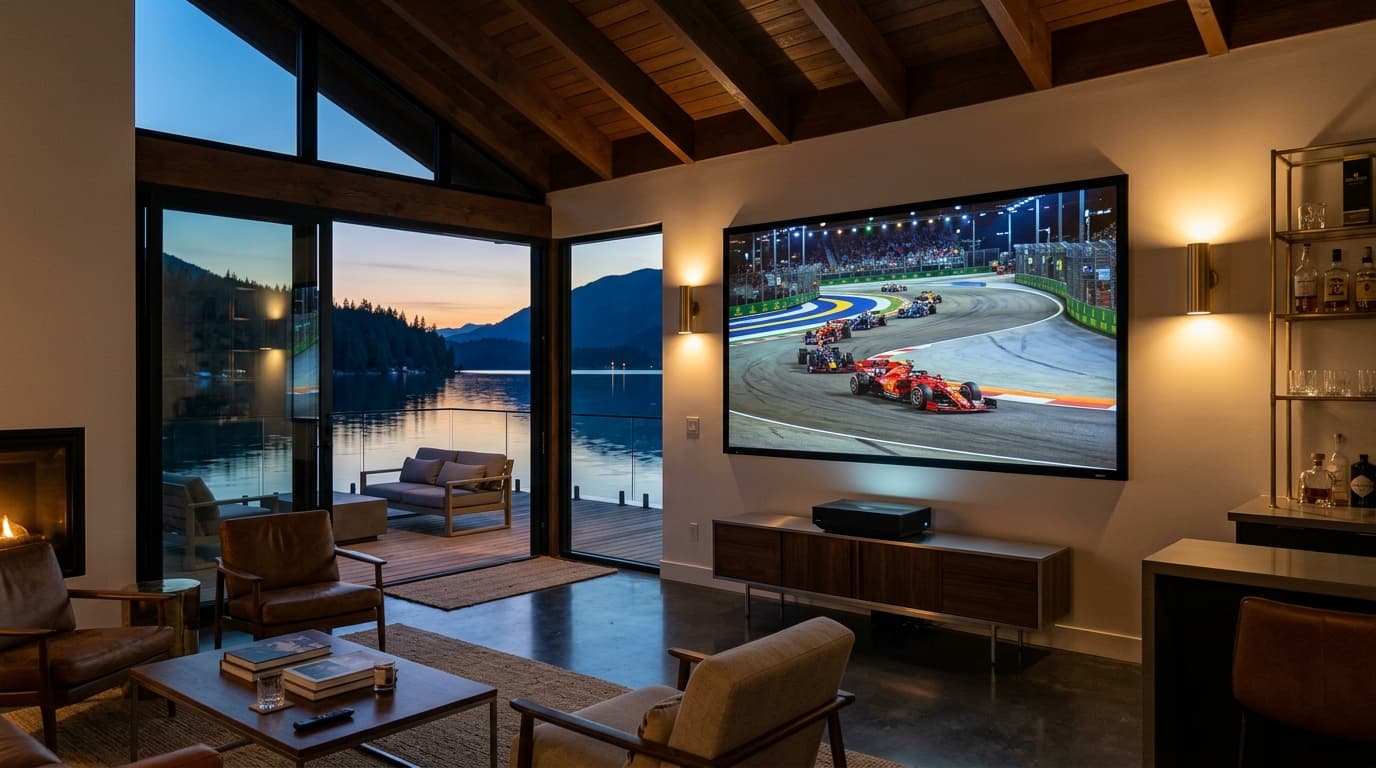
Live sports remain the final frontier of cord-cutting. While movies and on-demand series stream smoothly across virtually any baseline platform, live broadcasts present a fundamentally different technical challenge. Fast-moving balls turn into blurry streaks on low-refresh-rate feeds, shared servers choke during peak penalty shootouts, and push notifications on your phone frequently celebrate a goal twenty seconds before it appears on your screen.
A dedicated sports iptv subscription solves the fragmentation of paying four separate cable and streaming subscriptions by consolidating global sports networks, regional sports networks (RSNs), pay-per-view cards, and domestic leagues into one unified interface.
However, not every IPTV service can handle the brutal bandwidth spikes of championship Sundays. Choosing the wrong provider means frozen screens at match point and unresponsive support channels. This comprehensive buyer's guide breaks down the underlying streaming architecture, the non-negotiable performance benchmarks, network optimization techniques, and the exact testing protocol you must run before committing your money.
1. Why Live Sports Streaming Demands a Specialized IPTV Infrastructure
When you stream a movie on a conventional on-demand service, your player caches several minutes of video ahead into temporary device memory. If your connection briefly dips, playback continues uninterrupted while your device quietly buffers the next segment.
Live sports streaming does not have that luxury. The broadcast is captured, encoded, routed, and unpacked in real time with mere seconds of total delay.
The "Avalanche Effect" During Championship Matches
General entertainment IPTV providers host thousands of on-demand movies, international news, and niche channels across shared virtual servers. Under normal conditions, viewer traffic is dispersed evenly across tens of thousands of channels.
When a marquee event begins—such as an El Clásico football derby, the Super Bowl, or a UFC title fight—viewer distribution violently consolidates. Up to 80% of all connected subscribers tune into two or three specific channel streams simultaneously. On budget reseller infrastructure lacking dynamic resource allocation, this sudden demand creates an avalanche effect:
- Ingestion encoders become overwhelmed with concurrent packet distribution requests.
- Server network interface cards (NICs) hit physical throughput limits.
- Connected players experience packet starvation, triggering repetitive 5-second buffering loops precisely when the action peaks.
A sports-optimized IPTV provider anticipates this traffic spike by employing load-balanced edge clusters that scale cloud distribution nodes dynamically across regional Content Delivery Networks (CDNs), backed by an advanced anti-freeze streaming architecture.
Direct Satellite Teleport Ingestion vs. Web-Rip Restreams
The source of the original signal determines the stability and clarity of your feed:
Budget Resellers (Web-Rips)
Inexpensive providers frequently pull their sports channels by capturing compressed consumer web feeds or re-encoding other providers' online streams. This multi-generation compression degrades image quality, adds 45–90 seconds of broadcast lag, and introduces intermittent frame drops.
Dedicated Sports Networks (Direct Teleport Feeds)
Premium infrastructure ingests raw satellite broadcast downlinks directly from commercial teleports. The master satellite feed is ingested via hardware HEVC/H.265 encoders into pristine 1080p or 4K streams at constant bitrates, bypassing consumer-tier bottlenecks entirely.
2. Core Technical Criteria for a Sports-Grade IPTV Subscription
Before evaluating pricing or channel counts, verify these four technical specifications with any prospective provider:
┌────────────────────────────────────────────────────────────────────────┐
│           HIGH-PERFORMANCE SPORTS STREAMING ARCHITECTURE               │
├────────────────────────────────────────────────────────────────────────┤
│  [Master Broadcast Satellite Feed]                                      │
│                  │ (Raw uncompressed signal)                           │
│                  ▼                                                     │
│  [Hardware H.265 / HEVC Ingestion Cluster]                             │
│                  │ (Locked 50 / 60 FPS constant-bitrate encoding)       │
│                  ▼                                                     │
│  [Geo-Distributed Anycast Multi-CDN Edge Nodes]                        │
│        ┌─────────┴─────────┐                                           │
│        ▼                   ▼                                           │
│  [US / EU Edge Node]  [Regional Mirror] (Dynamic Load Balancing)      │
│        │                   │                                           │
│        ▼                   ▼                                           │
│  [Local Device: Sub-15s Latency | Zero Stutter | Native Motion Track] │
└────────────────────────────────────────────────────────────────────────┘
True 50 FPS and 60 FPS Feeds (Eliminating Motion Judder)
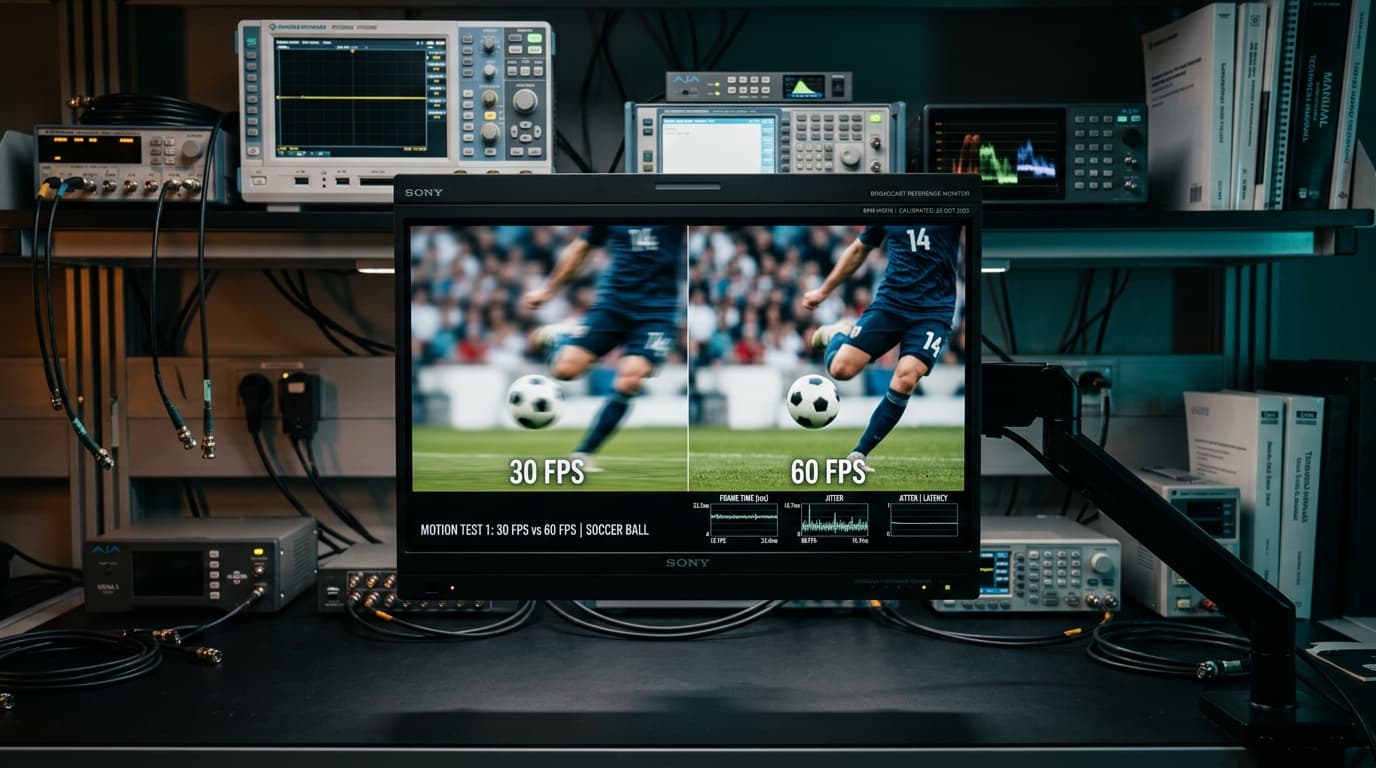
Standard film and television series are produced at 24 or 30 frames per second (FPS). Live sports, however, require high temporal resolution to track rapid movement across the screen.
When viewing a soccer cross, a 95 mph baseball fastball, or an ice hockey puck on a 30 FPS stream, your eyes register unnatural motion judder and ghosting artifacts. The ball appears to skip across the grass rather than traveling in a smooth arc.
| Video Metric | Standard Budget IPTV | Sports-Dedicated IPTV | Real-World Viewing Impact |
|---|---|---|---|
| Frame Rate | 25 FPS – 30 FPS | 50 FPS – 60 FPS | Eliminates motion blur and tracking stutter during fast pans. |
| Video Codec | Legacy H.264 (MPEG-4) | H.265 (HEVC) / AV1 | 50% higher compression efficiency with sharper pitch details. |
| Average Bitrate | 3.5 – 5.5 Mbps | 12.0 – 22.0 Mbps | Prevents macroblocking in grass, crowd shots, and stadium lights. |
| Glass-to-Glass Lag | 45 – 90+ Seconds | 10 – 20 Seconds | Experience plays in real time without chat or notification spoilers. |
| Backup Streams | Single feed per channel | Alternative Backup Feeds | Instant failover if a primary transponder encounters interference. |
Glass-to-Glass Broadcast Latency (Beating Phone Spoilers)
"Glass-to-glass latency" is the total time elapsed between an event occurring on the stadium grass and the moment light emits from your television screen.
Standard satellite and cable broadcasts feature a latency of roughly 5 to 7 seconds. Mainstream digital streaming apps (like YouTube TV or ESPN+) typically operate with 25 to 45 seconds of delay.
Unoptimized IPTV sellers routing signals through unmanaged third-party proxies often exceed 90 seconds of lag. When you are watching a tense penalty shootout, hearing cheering from neighbors or seeing your fantasy sports app update a minute before your screen shows the kick ruins the experience. Reliable sports providers utilize low-latency HTTP Live Streaming (HLS) or MPEG-TS container streams distributed via Anycast edge nodes to keep total latency below 15 seconds.
Multi-Connection Support for Game-Day Multiview
During packed sporting weekends, major fixtures frequently overlap. Premium IPTV player software (such as TiviMate on Android TV or iPlayTV on Apple TV) supports native multiview, allowing you to split an 85-inch display into two, three, or four concurrent live feeds.
To power a multiview grid, your sports iptv subscription must permit multiple simultaneous active connections under a single account. For more on multi-screen viewing, explore our complete breakdown of the best IPTV for sports.
3. Essential League & Tournament Coverage to Demand
Before subscribing, audit the provider's electronic program guide (EPG) and channel categories against the specific competitions you follow:
Domestic & RSNs
North American regional sports networks and national broadcasters:
- YES Network, NESN, Marquee
- NBC Sports Regional Networks
- NFL Sunday Ticket Feeds
- NBA League Pass & MLB.TV
Global Football (Soccer)
Full European league and international tournament rights:
- English Premier League (Sky/TNT/USA)
- UEFA Champions & Europa League
- La Liga, Serie A & Bundesliga
- International Friendlies & Qualifiers
Combat & Motorsport
Dedicated event directories and specialized high-speed feeds:
- UFC Numbered PPVs & Fight Nights
- Championship Boxing Redundancies
- Formula 1 (F1 TV & Sky F1 4K)
- MotoGP, NASCAR & IndyCar
4. Sports IPTV Subscription vs. Mainstream Cable & OTT Apps
Traditional cable packages and direct-to-consumer OTT streaming platforms have fragmented sports coverage into an expensive maze. The following breakdown illustrates how a sports-centric IPTV setup compares against conventional subscription models:
| Evaluation Metric | Traditional Cable / Satellite | Mainstream OTT (YouTube TV, Fubo) | Dedicated Sports IPTV |
|---|---|---|---|
| Typical Monthly Cost | $120 – $180+ / month | $80 – $110+ / month | $12 – $25 / month |
| Hardware Dependency | Proprietary rented set-top boxes | Commercial smart TV apps | Any Android TV, Apple TV, Firestick |
| Regional Blackouts | Enforced by billing ZIP code | Enforced by GPS / IP location | Bypassed via global regional feeds |
| International Coverage | Highly limited / expensive add-ons | Domestic packages only | Global stadium & league channels |
| Multiview Capabilities | Rarely supported on legacy boxes | Preselected 4-game grids only | Customizable 2 to 9-screen grids |
| Contract Commitments | Often 12 to 24-month lock-in | Month-to-month | Flexible contract-free tiers |
Cord-cutters who evaluate these trade-offs often transition to flexible IPTV subscription plans that offer multi-screen concurrency without annual contracts.
5. How to Optimize Your Home Network for 4K Sports Streaming
Even an enterprise-grade IPTV server will buffer if your local home network hardware is misconfigured. Live 60FPS video streams transmit sustained, uncompressed packet streams that punish weak Wi-Fi signals. Read our dedicated guide on optimizing bandwidth for 4K IPTV streams for comprehensive network configurations.
| Resolution & Format | Baseline Encoding Bitrate | Minimum Recommended Speed | Recommended Connection Type |
|---|---|---|---|
| 720p @ 60 FPS | 4.0 – 6.0 Mbps | 25 Mbps | Stable 5 GHz Wi-Fi or Ethernet |
| 1080p @ 60 FPS | 8.0 – 14.0 Mbps | 50 Mbps | Ethernet cable strongly preferred |
| 4K UHD @ 60 FPS (HDR) | 18.0 – 30.0 Mbps | 100 Mbps+ | Direct Gigabit Cat6 Ethernet |
| 4-Screen Multiview (1080p) | 35.0 – 55.0 Mbps | 150 Mbps+ | Direct Gigabit Cat6 Ethernet |
Hardware Decoding: Dedicated Streaming Boxes vs. Smart TVs
The built-in system-on-a-chip (SoC) inside budget smart TVs is engineered primarily for basic interface navigation, not high-bitrate video decoding. Built-in TV operating systems frequently suffer memory leaks when unpacking continuous H.265 60FPS sports feeds, causing unexplained audio desynchronization and interface freezes.
For seamless sports playback, use a dedicated external streaming box with robust hardware decoding capabilities:
- Top Performer: NVIDIA Shield TV Pro (Tegra X1+ processor, hardware AI upscaling, native gigabit Ethernet).
- Apple Ecosystem: Apple TV 4K (A15 Bionic processor, fluid user interface, excellent frame rate matching).
- Budget Value: Amazon Fire TV Stick 4K Max (Wi-Fi 6E support, fast hardware H.265 decoding). Follow our step-by-step Firestick IPTV setup guide to optimize buffer settings.
Buffer Size & Player Tuning (TiviMate, IPTV Smarter Pro)
Fine-tuning your application via top-rated IPTV players for live television can completely eliminate micro-stutter caused by minor internet routing blips:
- Adjust Buffer Size: In your player settings (such as TiviMate), navigate to Playback > Buffer Size. Change the setting from None or Small to Medium (3–5 seconds). This gives your device a crucial breathing room cushion without introducing excessive broadcast latency.
- Select Hardware Video Decoder: Ensure the video decoder is explicitly set to Hardware (HW) rather than Software (SW). Hardware decoding leverages your device's dedicated GPU, keeping the CPU cool and responsive.
- Enable Auto Frame Rate (AFR) Matching: Enable AFR so your display automatically switches its refresh rate to 50Hz for European sports or 60Hz for US events, preventing frame pacing judder.
6. Common Pitfalls to Avoid When Buying a Sports IPTV Subscription
The online IPTV marketplace is crowded with fly-by-night operations. Protect your money and sanity by steering clear of these common pitfalls:
The Annual Commitment Trap
Never purchase a 12-month or lifetime subscription on your first visit to a new provider. Reseller networks frequently reshuffle servers, experience domain blockages, or degrade in quality over time. The Golden Rule: Always start with a short trial. If the trial passes your performance audit, purchase a 1-month or 3-month plan. Only consider longer commitments once a provider has demonstrated rock-solid consistency across several major sporting events.
Unrealistically Low Pricing ($3/Month Warning)
Hosting high-bandwidth live video streaming across tier-1 multi-CDN edge servers incurs substantial infrastructure costs. When a service advertises "25,000 Channels in 4K for $30 a year," they are operating on oversold, razor-thin reseller servers. When thousands of users log in for a championship match, those budget servers collapse immediately. A legitimate, stable sports service is priced fairly—typically between $12 and $22 per month—to sustain server capacity and engineering support.
Providers Without Real Customer Support
If an IPTV service provides only an unmonitored generic web form or takes 48 hours to answer basic billing questions, avoid them. During a live game, you need real-time support. Seek out services that offer direct assistance via dedicated ticketing portals, Telegram, or WhatsApp channels.
7. Step-by-Step Vetting Checklist Before You Subscribe
Follow this systematic 3-step audit during your test period to verify that a provider is truly match-ready:
Request a 24-Hour Weekend Trial
Never test an IPTV service on a quiet Tuesday afternoon. High-capacity networks only reveal their true performance when strained. Secure a trial pass that covers a busy Saturday or Sunday afternoon when multiple domestic football matches, combat cards, and basketball games air simultaneously.
Test During a Live High-Traffic Match
Tune directly into the most popular game of the weekend (such as a Premier League early kickoff or NFL Sunday afternoon game). Observe the stream for 20 continuous minutes: check for frame drops, audio sync issues, and whether the resolution remains crisp under rapid camera movement.
Verify EPG Accuracy and Backup Audio Feeds
Open the Electronic Program Guide (EPG). Check whether game listings accurately reflect kickoff times, matchup titles, and team names. Verify whether the provider includes alternative backup feeds for critical channels, ensuring you always have a secondary option if satellite interference affects a primary transponder.
8. Frequently Asked Questions
What internet speed do I need for a sports IPTV subscription?
For a single, stable 1080p 60FPS sports stream, a dedicated download speed of at least 25 Mbps is required. If you plan to stream in native 4K UHD or run a 4-channel multiview grid on game days, demand an internet connection of 100 Mbps or higher, preferably connected via a wired Ethernet cable.
Why does my sports stream buffer even though my internet test is fast?
Standard internet speed tests ping local servers that are optimized by your Internet Service Provider (ISP). However, live IPTV streams travel from distant media data centers. If your ISP detects high-bandwidth video traffic during major sporting events, they may intentionally throttle your IPTV packets. Additionally, if the provider's ingestion server lacks adequate CDN headroom, the stream will buffer regardless of your local internet speed.
What is the difference between 30 FPS and 60 FPS in sports streaming?
Frame rate measures how many still images are displayed per second. A 30 FPS stream displays 30 frames every second, which is adequate for slow-moving films but produces significant motion blur, judder, and ball trailing during live sports. A 60 FPS stream doubles the temporal data, rendering fluid ball trajectories, legible on-screen scoreboard text, and smooth camera pans.
Can I watch sports on multiple screens simultaneously?
Yes, provided your subscription tier includes multiple simultaneous connections. Standard plans generally include one active connection. If you wish to watch different matches on multiple televisions or construct a multi-screen multiview grid on your main TV, select a 2-connection, 3-connection, or 4-connection subscription package.
Which IPTV player app works best for live sports?
For Android TV, Google TV, and Amazon Fire TV devices, TiviMate IPTV Player is widely recognized as the industry benchmark due to its native multiview support, ultra-fast channel zapping, and custom buffer management. For Apple TV, iPlayTV and UHF offer top-tier performance with hardware-accelerated rendering.
Never Miss a Play with nobiptv's 60FPS Sports Network
Stream NFL Sunday games, Premier League matches, Formula 1, and UFC pay-per-views with zero buffering and low broadcast latency.