IPTV EPG Not Working? Fix an Empty or Wrong TV Guide
The channels play fine, but the TV guide is blank, shows the wrong times, or only works for some channels. That is an EPG problem, and it is usually fixable in a few minutes. This guide covers what the EPG is, why it fails, and the steps to try in order.
Short answer
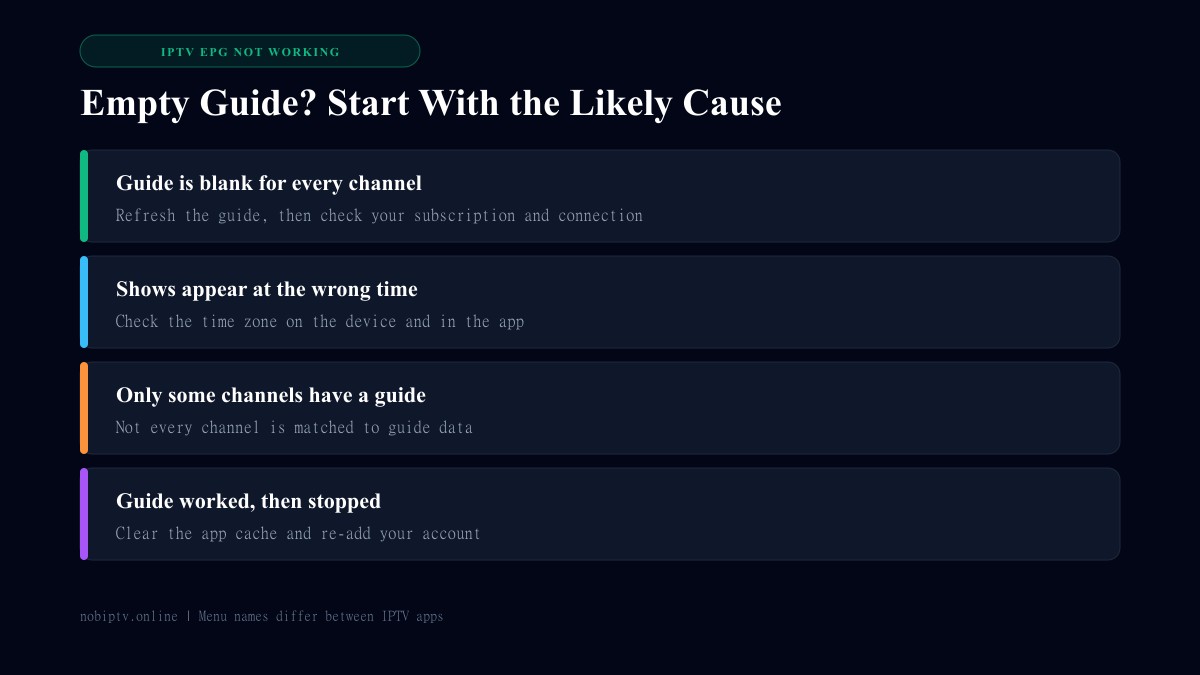
Refresh the guide inside your app and wait a few minutes. If it stays empty, check your time zone, confirm your subscription and internet connection, then clear the app's cache and sign in again. If only some channels are blank, the cause is usually the guide data from your provider, so contact them.
What the EPG Is and Where It Comes From
The electronic program guide is the schedule you see in your IPTV app. It is separate from the video stream: your app loads channel streams from one source and listings from another. Guide data is commonly distributed in the XMLTV format, an XML-based format for TV schedules, as described in the XMLTV article on Wikipedia. Because the guide is its own feed, it can fail while the channels keep playing.
How the guide reaches your app also depends on your login type. See M3U vs Xtream Codes for the difference.
Fixes to Try, in Order
- Refresh the guide. Look for an update or refresh option for the guide in your app's settings, then wait a few minutes. Large lists load slowly.
- Check your time zone. Make sure the device time zone is correct and that your app has no stray time offset set. Wrong times are usually this.
- Test your connection. A weak connection can stop the guide from downloading. See the internet speed guide for streaming.
- Confirm your subscription. If the channels also fail, read IPTV is down.
- Clear the app cache. Clearing the app's cache in your device settings removes stale guide data. Clearing all data signs you out, so keep your login details handy.
- Re-add your account. Sign out and enter your details again so the app fetches the guide fresh.
- Contact your provider. If only some channels are blank, the guide data for them may be missing on the provider side.
Menu names differ between IPTV apps and versions, so look for the equivalent option in yours. If you are still choosing an app, our best IPTV player comparison covers guide support.
Why Only Some Channels Have a Guide
Listings have to be matched to each channel. When a channel is not matched, it shows no schedule even though it plays normally. You cannot always fix this in the app, so report the channel names to your provider. A general media player such as VLC does not offer the full program guide that IPTV apps do, so a missing guide there is expected rather than a fault (see IPTV to VLC).
IPTV EPG Not Working: FAQ
What does EPG mean in IPTV?
EPG stands for electronic program guide. It is the on-screen schedule that shows what is on now and next for each channel.
Why is my IPTV guide empty?
Common causes are a guide that has not refreshed yet, a stale app cache, a connection problem, a lapsed subscription, or guide data that your provider has not supplied for those channels.
Why are the show times wrong?
Wrong times usually come from a time zone mismatch. Check the time zone on your device and any time-offset setting in your IPTV app, then refresh the guide.
Why do only some channels have a guide?
Guide data has to be matched to each channel. If a channel is not matched, it shows no listings even when others do. This is usually a provider-side data issue.
How long does an IPTV guide take to load?
It can take several minutes after a refresh or a first sign-in, especially with large channel lists. Give it time before clearing data.
Still Stuck?
Check our FAQ or contact us with your device and app name so we can help narrow it down.
Ready to Experience nobiptv?
Join thousands of satisfied viewers. Get the best IPTV services with our premium IPTV subscriptions and dedicated support.