Roku vs Firestick for IPTV: Which Streaming Device Should You Choose?
If you are setting up IPTV on your TV, the device you plug in decides how easy the setup is and which player apps you can use. The two most common choices in the US and Canada are Roku and the Amazon Fire TV Stick. They look similar, but they run very different software.
Short answer
For IPTV, a Fire TV Stick is usually the more flexible choice because you can install a full IPTV player on it. A Roku is fine if you already own one and are happy to cast from a phone or add a second device. Neither fixes a weak internet connection.
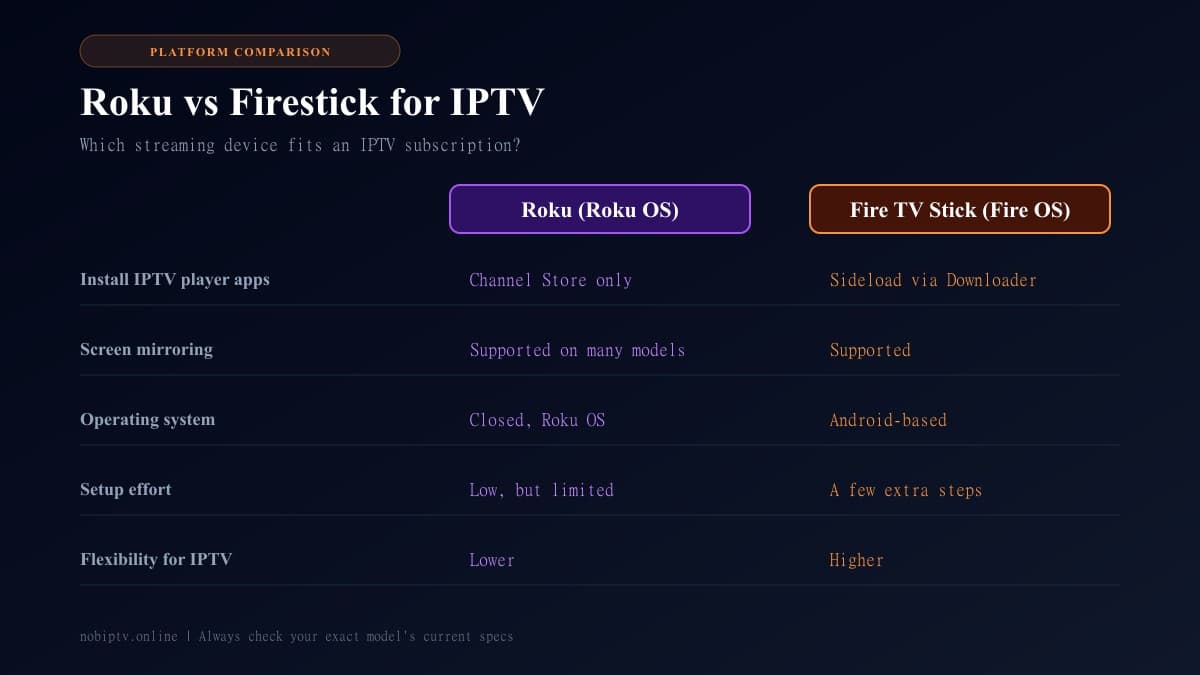
Roku vs Firestick at a Glance
| Feature | Roku | Fire TV Stick |
|---|---|---|
| Operating system | Roku OS (closed platform) | Fire OS (Android-based) |
| Installing an IPTV player app | Limited to what the Roku Channel Store allows | Sideload with Downloader after allowing unknown apps |
| Screen mirroring / casting | Supported on many models (check yours) | Supported |
| Initial setup effort | Simple, but fewer options | A few extra steps to sideload a player |
| Flexibility for IPTV | Lower | Higher |
| Best for | Existing Roku owners, mirroring from a phone | Dedicated IPTV viewing with a full player app |
Features vary by model and software version, so confirm the details for the exact device you plan to buy.
Why the Operating System Matters for IPTV
An IPTV subscription does not play by itself. You need a player app that loads your channel list and guide. Fire TV's software is built on Android, which is why popular Android IPTV players can be installed on it. Roku uses its own closed system, so you are limited to what Roku makes available.
That single difference explains most of the comparison. It affects which player you can use, how you update it, and what you do when something stops working.
Using IPTV on a Firestick
On a Fire TV Stick you install a free app called Downloader, allow installs from unknown sources, and then load your IPTV player. After that you sign in with the details from your provider. The process takes a few minutes the first time.
Useful next steps for Fire TV:
Using IPTV on a Roku
Roku is simple and reliable for mainstream apps, but it is not designed for installing outside software. Owners who want IPTV on a Roku typically cast or mirror from a phone or computer, or add a second device. Both approaches work, with trade-offs: casting depends on your phone and Wi-Fi, and a second device means another remote and HDMI input.
We cover the working methods step by step in our IPTV on Roku TV guide, so you do not need to guess which options apply to your model.
Buffering Is Usually a Network Problem, Not a Device Problem
People often blame the stick when streams freeze, but the cause is more often a congested Wi-Fi channel, a slow plan, or a busy server. Before swapping hardware, test your connection with our internet speed guide for streaming and work through how to stop IPTV buffering. A wired or 5 GHz connection helps on any device.
Which One Should You Pick?
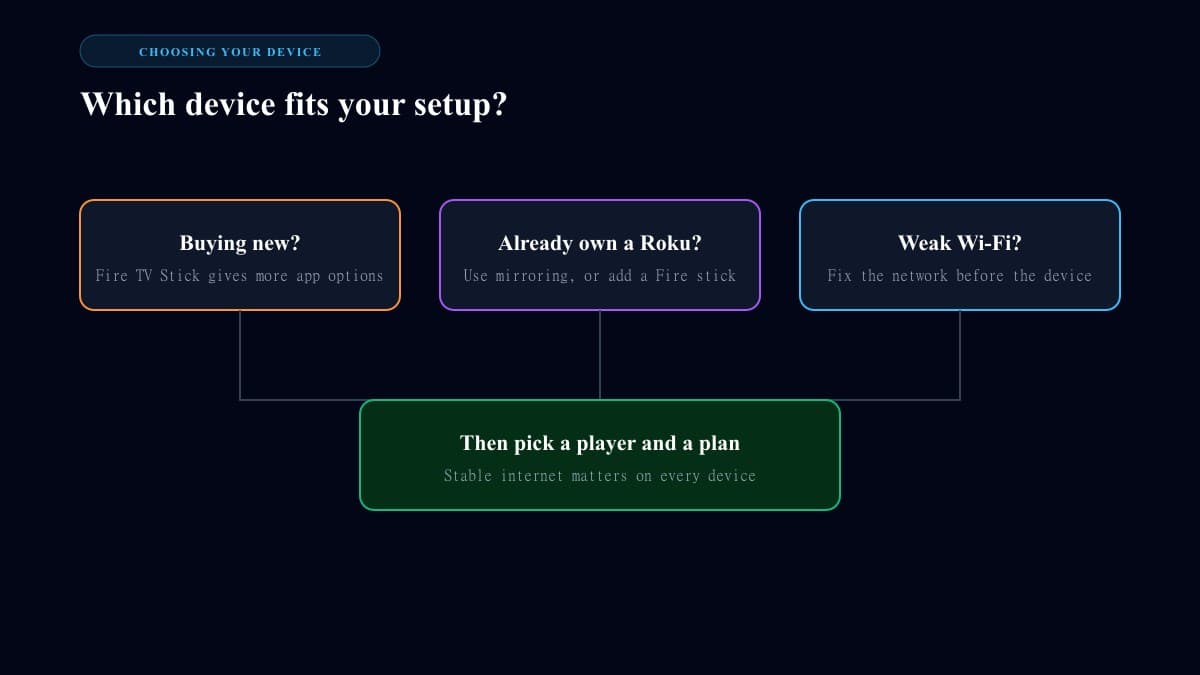
- • Buying a new device for IPTV: choose a Fire TV Stick for the wider choice of player apps.
- • Already own a Roku TV: keep it, and either cast from your phone or plug in a Fire TV Stick for IPTV.
- • Not sure your TV and apps are compatible: check our supported devices page first.
- • Want other IPTV player options: see our best IPTV player comparison.
Roku vs Firestick for IPTV: FAQ
Is Firestick or Roku better for IPTV?
For most IPTV users the Fire TV Stick is the easier fit, because it runs an Android-based operating system and lets you install a third-party IPTV player. Roku can still work through screen mirroring, but you have fewer ways to install a player directly on the device.
Can I install IPTV Smarters or TiviMate on Roku?
Roku OS is a closed platform and does not run Android APK files, so those Android apps cannot be installed on it the way they can on a Firestick. Our Roku guide covers the working alternatives in detail.
Does a Roku or a Firestick buffer less?
Buffering is usually caused by your internet connection, Wi-Fi signal, or the provider's servers rather than the brand of the stick. Run a speed test and use a wired or 5 GHz connection before blaming the device.
Can I use both a Roku TV and a Firestick?
Yes. Many Roku TV owners plug a Fire TV Stick into a spare HDMI port and switch inputs. The TV keeps working as normal, and the Firestick handles your IPTV player.
Is it legal to use IPTV on these devices?
The devices themselves are ordinary streaming hardware. What matters is that your IPTV subscription comes from a provider with the right to distribute its content, so choose your service carefully.
Ready to Pick a Plan?
Once your device is sorted, compare our plans and choose the one that fits your household.
Ready to Experience nobiptv?
Join thousands of satisfied viewers. Get the best IPTV services with our premium IPTV subscriptions, instant activation, and 24/7 dedicated support.